
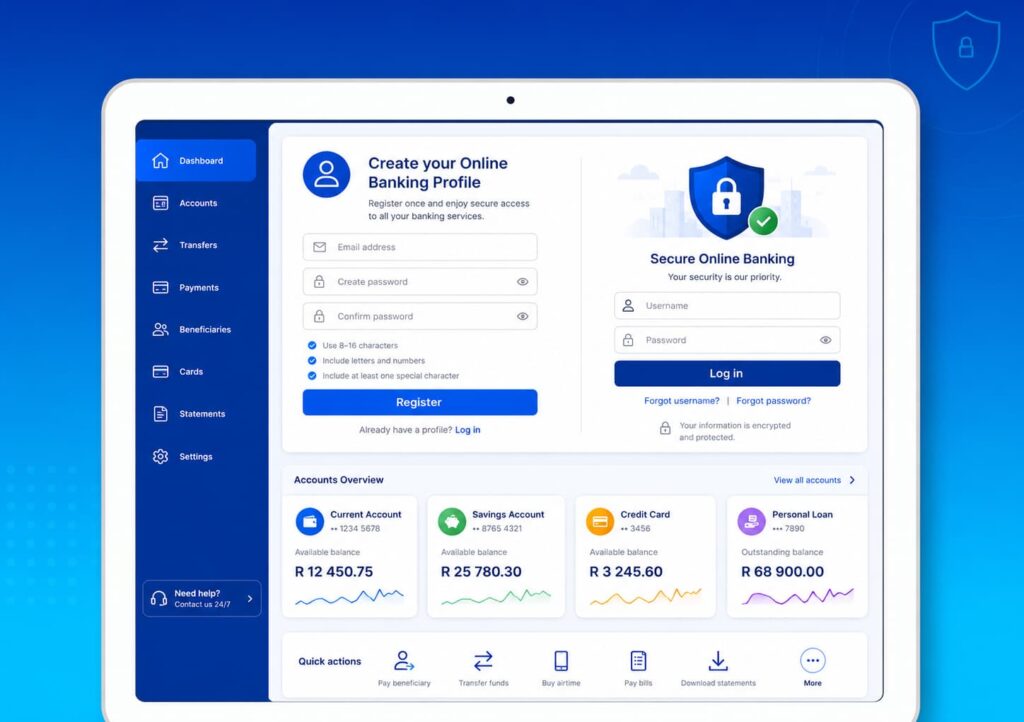
Standard Bank Online Banking allows eligible customers to bank securely from any supported web browser, 24/7. Registration requires creating an Online Banking profile before accessing banking services. Once registered, customers can transfer money, pay bills, download statements, manage loans and investments, and buy prepaid services online. Transactions can be verified using security features such as push notifications, QR codes, or one-time passwords (OTPs), depending on the transaction and device. If you prefer banking from your phone, many of the same services are also available through the Standard Bank App.
Standard Bank Online Banking is designed to give customers secure access to many banking services from a desktop computer, laptop, tablet, or smartphone browser. Instead of being limited to banking hours, you can manage your accounts 24 hours a day, seven days a week, provided you have an internet connection and an active Online Banking profile. The platform allows eligible customers to make payments, transfer funds, download statements, manage cards, change selected limits, purchase prepaid services, and access various banking products from a single dashboard.
This guide takes a practical approach by following the same journey most customers experience. You’ll learn who can register, what information you’ll need before starting, how to complete your Online Banking registration, and what to do if you encounter common login or verification problems. Along the way, you’ll also find links to related SA Bank Fees guides that explain digital banking costs, payment processing, and other useful Standard Bank services.
Why Choose Online Banking Instead of Visiting a Branch?
Many banking activities no longer require a physical branch visit.
Instead of standing in a queue, Online Banking lets you complete routine financial tasks from almost anywhere.
Everyday Tasks You Can Complete Online
After registering, eligible customers can typically:
- Check account balances.
- View recent transactions.
- Transfer money between accounts.
- Pay beneficiaries.
- Buy airtime, data, and prepaid electricity.
- Download bank statements.
- Manage loans and investments.
- Change selected banking limits.
- Access international payment services.
For many customers, this means spending less time travelling to a branch and more time managing finances on their own schedule.
Before You Begin Registration
Starting your registration without the necessary information can slow the process.
Preparing everything beforehand makes the experience much smoother.
H2 What You’ll Need
Although individual circumstances vary, most customers should have:
H3 An Eligible Standard Bank Account or Card
You’ll generally need a qualifying Standard Bank personal banking product linked to your profile.
Internet Access
Since registration is completed online, ensure your internet connection is stable throughout the process.
Interruptions during verification may require you to repeat certain steps.
A Valid Email Address
Your email address is used when creating your Online Banking profile and receiving verification messages.
Choose an email account that only you can access.
A Mobile Phone
Certain security checks may involve verification codes or transaction authentication.
Keeping your registered cellphone nearby makes the process quicker.
Creating Your Standard Bank Online Banking Profile
One mistake many first-time users make is assuming they can simply enter their account number and start banking immediately.
Instead, you’ll first create a secure Online Banking profile.
Step 1: Visit the Official Online Banking Page
Open the official Standard Bank Online Banking website and select Register.
Always confirm that you’re using the genuine Standard Bank website before entering personal information.
Step 2: Create Your Online Profile
You’ll be guided through creating your digital banking profile.
This generally includes:
- Entering your personal details.
- Providing your email address.
- Creating secure login credentials.
- Completing identity verification where required.
Take your time during this stage, as inaccurate information can delay registration.
Step 3: Choose Secure Login Credentials
Your username and password protect access to your banking profile.
When creating your password:
- Use upper- and lowercase letters.
- Include numbers and, where permitted, special characters.
- Avoid using birthdays or easily guessed information.
- Don’t reuse passwords from other online accounts.
A password manager can help generate and store strong passwords securely.
Step 4: Complete Verification
Before your profile becomes active, Standard Bank verifies your registration using the security process applicable to your profile.
Depending on your setup, this may involve email verification, one-time passwords (OTPs), push notifications, or other authentication methods.
Once verification is complete, your Online Banking profile is ready for use.
Signing In for the First Time
After registration, your first login helps familiarise you with the Online Banking platform.
Enter Your Credentials
Sign in using the username and password you created during registration.
If prompted, complete any additional verification before continuing.
Explore Your Dashboard
After logging in successfully, you’ll typically see an overview of your banking relationship.
Depending on your profile, the dashboard may include:
- Current accounts
- Savings accounts
- Credit cards
- Personal loans
- Vehicle finance
- Home loans
- Investments
- Recent transactions
The layout is designed to provide a quick overview of your finances while allowing you to navigate to more detailed banking services.
Understanding the Main Navigation
Instead of presenting dozens of unrelated menus, Standard Bank groups services according to common banking activities.
Most customers regularly use sections such as:
- Accounts
- Payments
- Transfers
- Cards
- Statements
- Investments
- Loans
- Profile Settings
This task-focused design makes it easier to locate the service you need without searching through multiple pages.
As you become more familiar with Online Banking, you may also find these related SA Bank Fees guides useful:
- Standard Bank App: How to Register, Transfer Money, Pay Bills, and Manage Your Account Explained
- Standard Bank Branch Code vs Universal Branch Code: What South Africans Need to Know
- Standard Bank to Capitec Transfer Time: How Long Payments Take and What Can Cause Delays
- How Standard Bank Instant Money Works: Sending Cash, Withdrawal Steps, Limits, Fees, and FAQs
- Standard Bank Fee Highlights: What Everyday Usage Really Costs
These guides complement Online Banking by explaining how Standard Bank’s digital services work together and how you can complete transactions efficiently while managing everyday banking costs.
Banking Made Practical: What You Can Do After Registering
Registering for Standard Bank Online Banking is only the beginning. Once your profile is active, the platform becomes a central hub where you can manage everyday banking tasks without relying on branch visits. Whether you’re paying monthly expenses, transferring money to family, downloading official documents, or monitoring your savings, most routine banking can be completed from a web browser.
Standard Bank’s Online Banking platform supports account management, payments, transfers, document downloads, card management, and selected self-service requests through a secure online profile.
Check Your Account Balances
One of the first things most customers do after signing in is review their account balances.
View All Your Accounts in One Place
The dashboard provides an overview of your eligible banking products, allowing you to monitor your finances without switching between multiple services.
Depending on your profile, you may see:
- Cheque or current accounts
- Savings accounts
- Credit cards
- Personal loans
- Vehicle finance
- Home loans
- Investment products
Having everything displayed together makes it easier to understand your financial position before making payments or transfers.
Transfer Money Between Your Accounts
Moving money between your own Standard Bank accounts is one of the quickest transactions available through Online Banking.
Internal Transfers
Examples include:
- Moving part of your salary into savings
- Covering upcoming debit orders
- Transferring funds to an investment account
- Moving money between everyday banking accounts
These transfers generally require only a few clicks because the accounts are already linked to your banking profile.
Paying Someone Else
Online Banking supports several payment methods depending on your needs.
Paying Existing Beneficiaries
If you’ve previously saved a beneficiary, the process usually involves:
- Selecting Payments.
- Choosing the beneficiary.
- Entering the payment amount.
- Adding or confirming the payment reference.
- Reviewing the payment.
- Completing security verification.
Payment confirmations are recorded within your transaction history for future reference.
Making a Once-Off Payment
Sometimes you only need to pay someone once.
Instead of permanently saving their banking details, Standard Bank allows eligible customers to make once-off payments without creating a long-term beneficiary profile. This can be useful when paying:
- Contractors
- Schools
- Medical providers
- Friends or family
- Retailers requesting EFT payment
Depending on the transaction, you may need to approve the payment using a push notification, QR code, or one-time password (OTP).
Download Statements Without Visiting a Branch
Another popular Online Banking feature is digital access to banking documents.
Documents You Can Download
Eligible customers can access:
- Bank statements
- Transfer history
- Payment history
- Tax certificates
- Other supported banking documents
Statements can usually be viewed online, downloaded, or emailed directly from the platform.
This is particularly useful when applying for:
- Vehicle finance
- A home loan
- Rental accommodation
- Visa applications
- Proof of income
Buy Everyday Essentials
Online Banking also allows customers to purchase several prepaid services without leaving home.
Available Purchases
Depending on your banking profile, you can buy:
- Airtime
- Mobile data
- SMS bundles
- Prepaid electricity
- Lotto tickets (where available)
These services are integrated into the platform, making Online Banking more than just a payment tool.
Manage Your Cards Online
Many card-related requests no longer require a telephone call or branch visit.
Card Self-Service
Depending on your account, you may be able to:
- Change payment limits
- Adjust withdrawal limits
- Manage linked cards
- Update selected card settings
These features provide greater control over your banking while reducing reliance on customer support.
Reverse Certain Debit Orders
Unexpected debit orders can create financial stress if they’re not identified quickly.
Standard Bank’s Online Banking platform includes the ability to reverse qualifying debit orders below specified thresholds and manage certain debit order disputes online, subject to the bank’s rules and applicable regulations.
Monitoring your transaction history regularly can help you identify unauthorised debits early.
If you’re interested in reducing unnecessary banking costs, our related article Penalty Fees & Debit Orders: What I Learned the Hard Way and How You Can Avoid the Same Mistakes explains practical strategies for spotting and addressing avoidable charges.
Security Features That Protect Your Online Banking
Convenience should never come at the expense of security.
Standard Bank incorporates multiple verification methods to help protect customers against unauthorised access.
Transaction Verification
Depending on the transaction and your registered devices, you may confirm activities using:
- Push notifications
- QR code approval
- One-Time Passwords (OTPs)
These additional verification steps are designed to ensure that sensitive transactions are authorised by the account holder.
Online Banking vs the Standard Bank App
Many customers wonder whether they need both services.
The answer depends on how you prefer to bank.
| Feature | Online Banking | Standard Bank App |
|---|---|---|
| Device | Web browser | Smartphone or tablet |
| Best for | Larger screens and detailed account management | Banking on the go |
| Statements | Yes | Yes |
| Payments | Yes | Yes |
| Transfers | Yes | Yes |
| Card management | Yes | Yes |
| Biometric login | Browser-dependent | Supported on compatible devices |
Many customers use both, switching between them depending on whether they’re working from a computer or using their mobile phone.
Related SA Banks Fees Guides:
To get even more value from Standard Bank’s digital banking services, explore these related guides:
- Standard Bank App: How to Register, Transfer Money, Pay Bills, and Manage Your Account Explained
- Standard Bank Branch Code vs Universal Branch Code: What South Africans Need to Know
- Standard Bank to Capitec Transfer Time: How Long Payments Take and What Can Cause Delays
- How Standard Bank Instant Money Works: Sending Cash, Withdrawal Steps, Limits, Fees, and FAQs
- Standard Bank Fee Highlights: What Everyday Usage Really Costs
- Compare Major South African Bank Fees
- How to Reduce Monthly Bank Fees in South Africa (Without Changing Banks)
Together, these resources explain how Standard Bank’s digital channels complement each other and how you can complete transactions efficiently while keeping everyday banking costs under control.
Personalising Your Online Banking Experience
After you’ve registered and completed your first successful login, it’s worth spending a few minutes customising your Online Banking profile. Doing so can make everyday banking faster, improve security, and reduce the likelihood of transaction errors.
Unlike branch banking, where a consultant performs many tasks on your behalf, Online Banking places much of the control directly in your hands. From updating contact information to managing beneficiaries and reviewing transaction history, most routine account maintenance can be completed online.
Managing Your Beneficiaries
Adding beneficiaries correctly can save time when making future payments.
Why Save Beneficiaries?
Instead of entering banking details every time you make a payment, saved beneficiaries allow you to:
- Pay recurring service providers
- Send money to family members
- Pay schools and universities
- Settle municipal accounts
- Make regular business payments
Once saved, beneficiaries can be selected from your payment list, reducing repetitive data entry. Sensitive changes, such as adding or updating beneficiaries, are protected with additional authentication.
Review Beneficiary Details Carefully
Before saving a beneficiary, confirm:
- Account holder’s name
- Bank name
- Account number
- Branch code or universal branch code
- Payment reference
Even small mistakes can delay payments or result in rejected transactions.
If you’re unsure which branch code to use, this guide Standard Bank Branch Code vs Universal Branch Code: What South Africans Need to Know explains when the universal branch code is appropriate.
Keeping Track of Your Transactions
Monitoring your account regularly helps you spot unusual activity early and gives you a clearer picture of your spending.
Transaction History
Online Banking provides access to:
- Recent transactions
- Payment history (up to four years)
- Transfer history
- Scheduled payments
- Account activity
This information can be useful for budgeting, resolving payment queries, or locating proof of previous transactions.
Managing Payment Limits
Security and convenience often need to be balanced. Standard Bank allows eligible customers to view and adjust certain payment limits through Online Banking.
When You Might Change a Limit
Examples include:
- Making a once-off high-value purchase
- Paying a contractor
- Completing a property deposit
- Sending a larger-than-normal EFT
Changes to payment limits generally require additional verification before taking effect.
Security Features That Help Protect Your Account
Online Banking incorporates multiple layers of security to reduce the risk of unauthorised access.
Multi-Factor Authentication
Depending on your device and the transaction you’re completing, you may be asked to verify your identity using:
- Push notifications
- QR code approval
- One-Time Passwords (OTPs)
These methods add an extra layer of protection before sensitive actions are completed.
Automatic Session Time-Outs
If you leave your Online Banking session inactive, it will automatically sign you out after a period of inactivity.
This helps protect your account if you forget to log out when using a shared or public computer.
Account Alerts
Standard Bank also offers account notifications that can help you monitor activity on your profile.
These alerts may include:
- Login notifications
- Transaction alerts
- Payment confirmations
- Account activity updates
Receiving timely alerts can help you detect suspicious activity sooner.
Common Registration Problems
Although registration is generally straightforward, some customers encounter issues during setup.
Verification Code Doesn’t Arrive
Possible reasons include:
- Incorrect contact details
- Network delays
- Spam filtering (for email verification)
- Temporary service interruptions
Before requesting another code, confirm that your registered email address and cellphone number are correct.
Registration Cannot Be Completed
If registration stops unexpectedly:
- Check your internet connection.
- Refresh your browser and try again.
- Ensure you’re using the official Standard Bank Online Banking website.
- Confirm that you’re entering your personal information exactly as recorded by the bank.
If the problem persists, contact Standard Bank for assistance rather than creating multiple incomplete registrations.
Common Login Problems
Even after successful registration, occasional login issues can occur.
Forgotten Password
If you’ve forgotten your password, use the password recovery option available on the Online Banking sign-in page.
Avoid creating multiple incorrect login attempts, as repeated failures may temporarily restrict access to your profile.
Browser Issues
If pages don’t load correctly:
- Update your web browser.
- Clear your browser cache if appropriate.
- Disable unsupported browser extensions that interfere with secure websites.
- Try another supported browser if the problem continues.
Authentication Problems
If you’re not receiving authentication prompts:
- Confirm that your registered device has internet access.
- Check whether push notifications are enabled if you’re using app-based approvals.
- Ensure your registered contact details are up to date.
Some transactions may fall back to an OTP if a push notification isn’t completed within the required time.
Related SA Bank Fees Guides:
To get even more from Standard Bank’s digital banking services, consider reading these related articles:
- Standard Bank App: How to Register, Transfer Money, Pay Bills, and Manage Your Account Explained
- Standard Bank to Capitec Transfer Time: How Long Payments Take and What Can Cause Delays
- How Standard Bank Instant Money Works: Sending Cash, Withdrawal Steps, Limits, Fees, and FAQs
- Monthly Bank Fees Compared Across South African Banks: What I Found After Checking My Own Accounts
- Compare Major South African Bank Fees
- How to Reduce Monthly Bank Fees in South Africa (Without Changing Banks)
These resources complement this guide by helping you understand payment methods, digital banking tools, and strategies for reducing everyday banking costs while using Standard Bank’s online services.
Frequently Asked Questions
Can I register for Standard Bank Online Banking without visiting a branch?
In many cases, yes.
Eligible customers can create an Online Banking profile through Standard Bank’s official website by completing the online registration process and verifying their identity. However, depending on your account status, personal details, or the outcome of security checks, Standard Bank may ask you to visit a branch to complete verification before granting full access.
Is Standard Bank Online Banking free?
Yes.
There is no separate monthly subscription fee to register for or access Standard Bank Online Banking. However, normal banking charges still apply to certain transactions, such as EFTs, immediate payments, international payments, and other services, depending on your account type and pricing plan. Your internet service provider may also charge for data usage.
To better understand these costs, see our related guide Standard Bank Fee Highlights: What Everyday Usage Really Costs.
Can I use Online Banking and the Standard Bank App together?
Absolutely.
The two services are designed to complement one another rather than replace each other.
Many customers prefer:
- Online Banking for detailed account management, downloading documents, and working from a desktop or laptop.
- The Standard Bank App for banking while travelling, making quick payments, buying prepaid services, and receiving security notifications.
Both services use the same digital banking ecosystem, allowing you to switch between devices depending on your needs.
What should I do if I forget my password?
If you’ve forgotten your Online Banking password:
- Visit the official Standard Bank Online Banking sign-in page.
- Select the password recovery or reset option.
- Complete the required identity verification.
- Create a new secure password.
For your protection, avoid repeated unsuccessful login attempts, as this may temporarily restrict access to your profile.
Why am I not receiving my OTP?
One-Time Passwords (OTPs) are an important security feature used to authorise certain actions.
If your OTP doesn’t arrive:
- Confirm that your registered cellphone number is correct.
- Check that your device has network coverage.
- Wait a few minutes before requesting another code.
- Ensure SMS blocking features are not preventing delivery.
If the problem continues, contact Standard Bank so they can verify your registered contact details and assist with troubleshooting.
Is Online Banking secure?
Standard Bank has implemented multiple security measures to help protect customers, including:
- Multi-factor authentication
- Push notification approvals
- QR code verification for supported transactions
- One-Time Passwords (OTPs)
- Automatic session time-outs
- Login notifications
- Fraud alerts
- Security monitoring through its Security Centre
Even with these protections, customers play an important role by using strong passwords, keeping devices updated, and never sharing login credentials or OTPs with anyone.
Best Practices for Safe Online Banking
Using Online Banking securely is just as important as learning how to register.
Always Use the Official Website
Before entering your username or password:
- Check that the web address belongs to Standard Bank.
- Ensure the browser displays a secure HTTPS connection.
- Avoid following banking links received through unsolicited emails or text messages.
Typing the website address directly into your browser or using a trusted bookmark reduces the risk of phishing attacks.
Keep Your Contact Details Up to Date
Your registered email address and cellphone number are used for:
- Login verification
- Security notifications
- Password recovery
- Transaction approvals
Outdated contact information can delay authentication or prevent you from receiving important security messages. Standard Bank allows eligible customers to manage certain profile details through its digital channels.
Monitor Your Accounts Regularly
Checking your account activity frequently helps you identify unusual transactions early.
Review:
- Recent payments
- Debit orders
- Transfers
- Card transactions
- Login notifications
If you notice activity you don’t recognise, contact Standard Bank immediately using its official fraud reporting channels.
Continue Learning with SA Banks Fees:
If this guide answered your questions about registering for Standard Bank Online Banking, these related articles can help you make even better use of the bank’s digital services:
- Standard Bank to Capitec Transfer Time: How Long Payments Take and What Can Cause Delays
- How Standard Bank Instant Money Works: Sending Cash, Withdrawal Steps, Limits, Fees, and FAQs
- Standard Bank Fee Highlights: What Everyday Usage Really Costs
- Monthly Bank Fees Compared Across South African Banks: What I Found After Checking My Own Accounts
- How to Reduce Monthly Bank Fees in South Africa (Without Changing Banks)
- Calculate Latest Fees – Monthly Bank Fee Calculator for South Africans
- Latest Bank Promotions, Cashback & Rewards – Bank Specials
Together, these guides explain not only how to use Standard Bank’s digital banking platforms but also how to compare banking costs, choose suitable payment methods, and make some great financial decisions.
Conclusion
Standard Bank Online Banking gives customers secure, round-the-clock access to a wide range of banking services without the need to visit a branch. After creating an online profile and completing the registration process, eligible users can check balances, transfer money, pay beneficiaries, download statements, manage cards, purchase prepaid services, access loans and investments, and perform many other everyday banking tasks from any supported web browser. The platform is also protected by multiple security measures, including push notification approvals, QR code verification, one-time passwords (OTPs), and automatic session time-outs.
While registration is straightforward for most customers, it’s important to use accurate personal information, keep your contact details up to date, and follow good online security practices. Taking a few minutes to understand how the platform works can make future banking faster, safer, and more convenient. Whether you prefer using Online Banking on a computer or switching to the Standard Bank App while you’re away from your desk, both services are designed to work together as part of Standard Bank’s digital banking ecosystem.
