
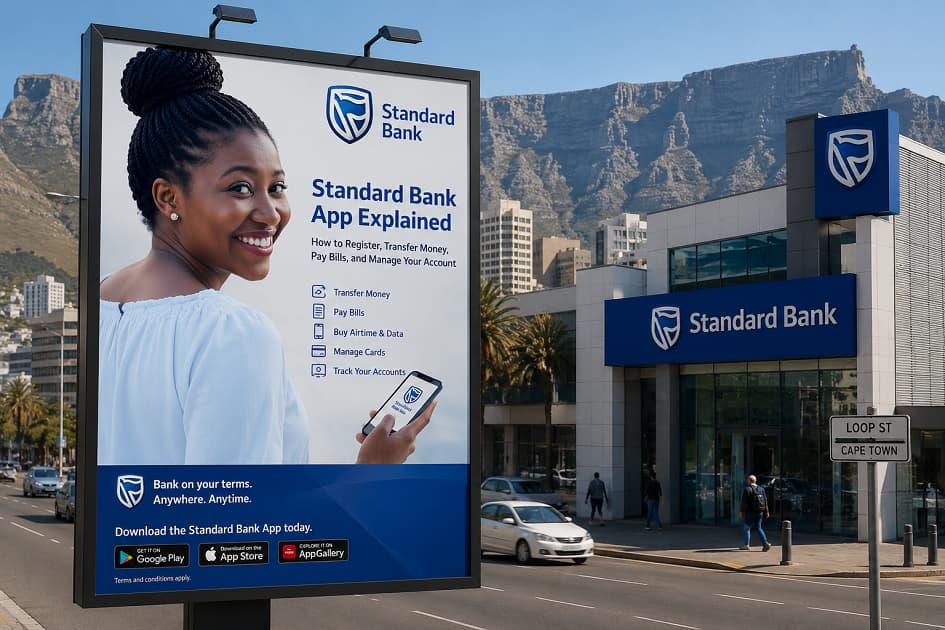
Standard Bank App is available for Android, iOS, and Huawei devices. New users can register directly within the app using an email address and secure password before linking eligible accounts. The app supports fingerprint and facial recognition on compatible devices for faster and more secure sign-ins. Customers can transfer money, pay bills, buy airtime, data and prepaid electricity, manage cards, access statements, and send Instant Money vouchers without visiting a branch. There is no monthly subscription fee for using the Banking App, although transaction fees may apply depending on your account and the service you use.
A banking app has improved so much from being a convenient extra to becoming the primary way many South Africans manage their finances. Instead of visiting a branch for routine banking, you can check your balance while waiting for a meeting, transfer money from home, pay municipal bills in minutes, or temporarily block a misplaced bank card until you find it again.
The Standard Bank App brings these everyday banking services together in one place. Available for Android, iPhone, and Huawei devices, it allows eligible customers to manage accounts, make local and international payments, purchase prepaid services, download bank documents, and monitor their finances from virtually anywhere. The app also supports biometric authentication, push notifications, and card management features designed to improve both convenience and security.
Rather than simply listing every feature, this guide follows the journey most customers take, from downloading the app and creating a profile to using it confidently for everyday banking. Along the way, you’ll also discover practical tips for avoiding common mistakes and making the most of the app’s digital tools.
A Day in the Life of the Standard Bank App
Instead of thinking of the Banking App as a replacement for Internet Banking, it helps to think of it as your personal banking hub.
Imagine starting your day by checking your salary has been paid, transferring money to a savings account, buying electricity before leaving work, paying a municipal account during lunch, and freezing your debit card after realising it’s missing from your wallet. These tasks can all be completed without entering a branch or calling customer support, provided your account and device are set up correctly.
This shift toward self-service banking is one reason mobile banking has become central to how many South Africans interact with their bank.
Before You Download the App
Before installing the Banking App, it’s worth confirming that you have everything needed for registration.
What You’ll Need
Most customers should have:
- A compatible smartphone or tablet.
- A stable internet connection for the initial download and registration.
- An active email address.
- An eligible Standard Bank personal account or card.
- Access to receive verification codes during registration.
Having these details ready makes the registration process much smoother.
Downloading the Standard Bank App
The safest place to download the Banking App is from your device’s official app store.
Installation Process
The process is straightforward:
Android Users
Search for Standard Bank in Google Play and install the official application published by Standard Bank Group.
iPhone Users
Open Apple’s App Store, search for Standard Bank / Stanbic Bank, and install the official app.
Huawei Devices
Huawei users can install the Banking App through AppGallery.
Avoid downloading banking applications from unofficial websites or third-party app stores, as these may expose you to security risks.
Creating Your Banking Profile
One aspect that surprises many new customers is that registration begins by creating a digital banking profile rather than immediately linking a bank account.
Setting Up Your Profile
The registration journey typically follows these steps:
Enter Your Email Address
Your email becomes part of your digital banking profile and is used for verification and important account communications.
Create a Strong Password
Choose a password that is:
- Unique.
- Difficult to guess.
- Different from passwords used on other websites.
Using a password manager can make it easier to create and store strong credentials securely.
Verify Your Profile
Standard Bank sends a One-Time Pin (OTP) to verify your email address before the registration process continues. Enter the OTP when prompted to confirm your profile.
Choosing How You’ll Sign In
Once your profile has been verified, you’ll configure how you access the app each day.
App Code
Instead of entering your full password every time, you’ll create a five-digit App Code.
This code should be memorable but not easily guessed.
Avoid combinations such as:
- Your birth year.
- Repeating digits.
- Your ATM PIN.
Standard Bank recommends choosing an App Code that is different from other personal security codes.
Biometric Login
If your smartphone supports biometric authentication, you can usually enable:
- Fingerprint login.
- Face recognition.
These methods provide faster access while maintaining security because your biometric information remains stored securely on your device rather than being transmitted during every login.
Linking Your Accounts
After registration, you’ll link your eligible Standard Bank products to the Banking App.
Depending on your banking relationship, these may include:
- Transaction accounts.
- Savings accounts.
- Credit cards.
- Personal loans.
- Vehicle finance.
- Home loans.
- Investments.
Viewing all of your financial products together makes it easier to understand your overall financial position rather than checking each account individually.
Your First Look at the Home Screen
Rather than presenting dozens of menus immediately, the Banking App is organised around the activities customers perform most often.
From the main dashboard, you can quickly:
- View available balances.
- Review recent transactions.
- Access payments and transfers.
- Manage cards.
- Open additional savings accounts.
- Access personalised tools through the Add-on Store, such as Budget Manager, Money Movements, and Credit Score (availability may vary).
This task-based layout reduces the number of steps needed to complete everyday banking activities compared with traditional branch banking or older online banking systems.
Moving Money Around: Transfers, Payments, Bills, and Everyday Banking in the Standard Bank App
Once your Banking App is set up, the next step is learning how to use it efficiently. Rather than opening different menus for every task, Standard Bank groups most day-to-day banking activities into payment, transfer, and account management sections, making routine banking easier to complete from a single dashboard.
The app allows eligible customers to make local and international payments, transfer money between accounts, buy prepaid services, send cash vouchers, manage cards, and access banking documents without visiting a branch.
Transfer Money Between Your Accounts
One of the most frequently used features is transferring money between your own Standard Bank accounts.
Whether you’re moving money into savings after payday or transferring funds to cover debit orders, the process typically involves:
Choose the Source Account
Select the account from which you want the money to be deducted.
Examples include:
- Current account
- Savings account
- Money Market account (where applicable)
Select the Destination Account
Choose the account that will receive the funds.
Because both accounts belong to your banking profile, these transfers are generally straightforward and help customers organise their finances without needing separate banking platforms.
Paying Someone Else
Sending money to another person is slightly different because the recipient must first exist as a beneficiary or be added during the payment process.
Paying an Existing Beneficiary
If you’ve paid someone before, simply:
- Open Payments.
- Select the beneficiary.
- Enter the amount.
- Add or update the payment reference.
- Review the details.
- Confirm the payment.
The Banking App supports both local and eligible international payments directly from your mobile device.
Adding a New Beneficiary
When paying someone for the first time, you’ll usually need:
- Bank name
- Account number
- Branch code or universal branch code
- Account holder’s name
- Payment reference
Before confirming the payment, double-check every detail carefully.
If you’re unsure which branch code to use, this guide Standard Bank Branch Code vs Universal Branch Code: What South Africans Need to Know explains when the universal branch code 051001 is appropriate and when a branch-specific code may still be required.
How Long Do Transfers Take?
Transfer times depend on:
- The receiving bank.
- The payment method.
- The time the payment is submitted.
- Security verification.
For urgent payments to another bank, choosing an immediate payment option may be faster than a standard EFT.
If you’re transferring funds to Capitec, this detailed guide Standard Bank to Capitec Transfer Time: How Long Payments Take and What Can Cause Delays explains typical processing times, common delays, and when you should contact the bank.
Paying Bills With Standard Bank App Without Visiting a Branch
Many recurring household expenses can be paid directly through the Banking App.
Common Bill Payments
Customers can typically pay:
- Municipal accounts
- Water and electricity bills
- School fees
- Insurance premiums
- Credit cards
- Service providers
- Retail accounts
This removes the need to queue at branches or payment centres, while allowing you to keep a digital record of completed transactions.
Buying Airtime, Data, and Electricity
The Banking App is more than a payment platform.
It also includes several everyday value-added services.
Airtime
Purchase airtime for yourself or someone else.
Supported mobile networks may vary over time, but the app provides an integrated purchase process without requiring a separate retailer.
Mobile Data
Need additional data before a meeting or while travelling?
The Banking App allows eligible customers to purchase mobile data bundles directly from supported providers.
Prepaid Electricity
If you use prepaid electricity, the Banking App allows you to:
- Purchase electricity tokens.
- Receive the token electronically.
- Top up your meter without visiting a store.
For many households, this is one of the app’s most practical everyday features.
Sending Cash Without a Bank Account
Sometimes the person you’re helping doesn’t have a bank account.
Instead of making an EFT, you can send an Instant Money voucher directly from the Banking App.
The recipient receives a voucher number by SMS, and after receiving the collection PIN separately, can withdraw cash from participating Standard Bank ATMs or approved retailers.
If you’d like a complete walkthrough, read our guide How Standard Bank Instant Money Works: Sending Cash, Withdrawal Steps, Limits, Fees, and FAQs.
Managing Your Debit and Credit Cards
One of the Banking App’s strongest self-service features is card management.
Instead of contacting customer support for routine requests, you can manage many card settings yourself.
Adjust Card Limits
Depending on your account and card type, you can change:
- Card spending limits.
- Payment limits.
- Selected transaction settings.
This can be useful when making an unusually large purchase or increasing security after travelling.
Stop a Lost Card
If your card goes missing, you don’t necessarily need to visit a branch immediately.
The Banking App allows eligible customers to:
- Stop a lost or stolen card.
- Request a replacement.
- Continue monitoring their accounts.
Acting quickly can reduce the risk of fraudulent transactions.
Manage Loans and Savings
Beyond everyday banking, the app also provides access to a range of financial products.
Depending on your profile, you may be able to:
- View personal loan information.
- Monitor vehicle finance.
- Check home loan details.
- Open new savings accounts.
- View investment information, including linked Stanlib investments where applicable.
Access Important Banking Documents
Instead of waiting for printed statements, customers can retrieve many documents directly through the Banking App.
These include:
- Bank statements.
- Stamped statements.
- Bank confirmation letters.
- Tax certificates.
Having digital access to these documents is particularly useful when applying for finance, renting property, or completing administrative paperwork.
As you continue using Standard Bank’s digital services, you may also find these SA Banks Fees guides useful:
- How to Register for Standard Bank Online Banking: Step-by-Step Guide, Requirements, Login, and Common Problems
- Standard Bank Branch Code vs Universal Branch Code: What South Africans Need to Know
- Standard Bank to Capitec Transfer Time: How Long Payments Take and What Can Cause Delays
- How Standard Bank Instant Money Works: Sending Cash, Withdrawal Steps, Limits, Fees, and FAQs
- Standard Bank Fee Highlights: What Everyday Usage Really Costs
- Compare Major South African Bank Fees
- How to Reduce Monthly Bank Fees in South Africa (Without Changing Banks)
Together, these articles help readers understand not only how to use the Banking App effectively, but also how to manage payments efficiently and minimise unnecessary banking costs.
Personalising Your Banking Experience
A banking app becomes more useful the more it reflects your everyday financial habits. Beyond making payments and checking balances, the Standard Bank App includes features that help you stay informed, organise your finances, and reduce the need for branch visits. Many of these tools can be configured directly within the app, allowing you to tailor the experience to your needs.
Built-In Security Features
Security is one of the most important considerations when using any banking app. Standard Bank incorporates several layers of protection designed to safeguard customer accounts while keeping everyday banking convenient.
Biometric Authentication
On compatible devices, you can enable:
- Fingerprint login
- Facial recognition
These options allow you to sign in quickly while reducing reliance on manually entering your App Code each time.
Push Notifications
Real-time notifications help you monitor activity on your account.
Depending on your notification settings, you may receive alerts for:
- Payments made
- Money received
- Card transactions
- App updates
Receiving instant notifications can help you identify unexpected activity more quickly.
Secure Authentication
Certain transactions may require additional verification before they are processed.
Examples include:
- Adding a new beneficiary
- Changing payment limits
- Updating personal information
- Authorising higher-risk transactions
These extra checks are intended to reduce fraud and protect your account.
Accessing Statements and Banking Documents
One feature that many customers overlook is the ability to obtain official banking documents without visiting a branch.
Available Documents
Depending on your account type, you can access:
- Bank statements
- Stamped bank statements
- Bank confirmation letters
- Tax certificates
- Previous monthly statements
Documents can generally be downloaded to your device or emailed directly from within the app. Interest-bearing accounts may also provide tax certificates where applicable.
This can be particularly helpful when:
- Applying for a home loan
- Renting a property
- Verifying income
- Preparing tax documents
Managing Your Money More Effectively
The Standard Bank App is designed not only to process transactions but also to help customers manage their finances.
Open Additional Savings Accounts
Eligible customers can open new savings accounts directly through the app without completing paper forms at a branch.
View Loans and Investments
Depending on your banking profile, you can use the app to:
- Monitor personal loans
- View vehicle finance
- Track home loan information
- Access linked investment products
- Connect eligible share trading accounts
Having these products in one place makes it easier to monitor your overall financial position rather than switching between multiple platforms.
Common Problems and How to Solve Them
Even well-designed banking apps occasionally present challenges. Fortunately, many common issues can be resolved without contacting customer support.
I Can’t Log In
If you’re unable to sign in:
- Confirm you’re using the correct App Code.
- Check that your internet connection is stable.
- Update the Banking App to the latest version.
- Restart your device if the issue persists.
If you’ve forgotten your credentials, use the recovery options provided within the app or contact Standard Bank for assistance.
My Payment Is Still Pending
If a payment hasn’t reflected yet:
- Verify that it appears in your transaction history.
- Check whether additional verification is required.
- Consider whether the payment was made outside normal processing periods.
- Allow sufficient processing time before escalating the issue.
Our guide Standard Bank to Capitec Transfer Time: How Long Payments Take and What Can Cause Delays explains why some interbank transfers take longer than others.
I Need a Proof of Payment
For eligible transactions, the Banking App allows you to generate or send a proof of payment directly from your transaction history. If the option is available for your transaction, you can email or download it without visiting a branch.
Frequently Asked Questions
Is the Standard Bank App free?
Yes. There is no monthly subscription fee for using the Banking App. However, normal banking transaction fees still apply based on your account type and the services you use, such as certain payments or transfers. Standard network charges may apply when downloading the app, although Standard Bank notes that data charges do not apply when using the South African Banking App.
Can I use the app without visiting a branch?
In many cases, yes.
Most everyday banking tasks, including checking balances, making payments, managing cards, downloading statements, and opening eligible savings accounts, can be completed through the app. Some specialised services or account changes may still require branch verification.
Can I use the app to send cash to someone without a bank account?
Yes.
The Banking App allows eligible customers to create Instant Money vouchers that recipients can redeem at participating Standard Bank ATMs and retailers using a voucher number and PIN.
For a complete walkthrough, read How Standard Bank Instant Money Works: Sending Cash, Withdrawal Steps, Limits, Fees, and FAQs.
Is the Banking App secure?
Standard Bank includes several security measures, including biometric login, encrypted communication, secure authentication, and transaction notifications. You can further improve your security by using a strong App Code, keeping your device updated, and never sharing your passwords, PINs, or one-time passwords (OTPs).
Conclusion
The Standard Bank App has evolved into a comprehensive digital banking platform that enables customers to perform most everyday banking tasks from their smartphone or tablet. From registering a profile and checking balances to transferring money, paying bills, purchasing airtime and electricity, managing cards, and accessing official banking documents, the app significantly reduces the need for branch visits while giving customers greater control over their finances.
Its combination of convenience and security makes it suitable for both occasional and frequent banking users. Features such as biometric login, instant notifications, self-service card controls, digital statements, and integrated payment options help simplify money management while maintaining strong account protection. As Standard Bank continues to expand its digital services, the app remains one of the primary ways customers interact with the bank.
To continue building your understanding of Standard Bank’s digital banking ecosystem, explore these related guides on SA Banks Fees:
- Standard Bank Branch Code vs Universal Branch Code: What South Africans Need to Know
- Standard Bank to Capitec Transfer Time: How Long Payments Take and What Can Cause Delays
- How Standard Bank Instant Money Works: Sending Cash, Withdrawal Steps, Limits, Fees, and FAQs
- How to Reduce Monthly Bank Fees in South Africa (Without Changing Banks)
- Calculate Latest Fees – Monthly Bank Fee Calculator for South Africans
Reading these articles together provides a broader understanding of how to use Standard Bank’s digital services effectively while making informed decisions about payment methods, banking fees, and day-to-day money management.
