
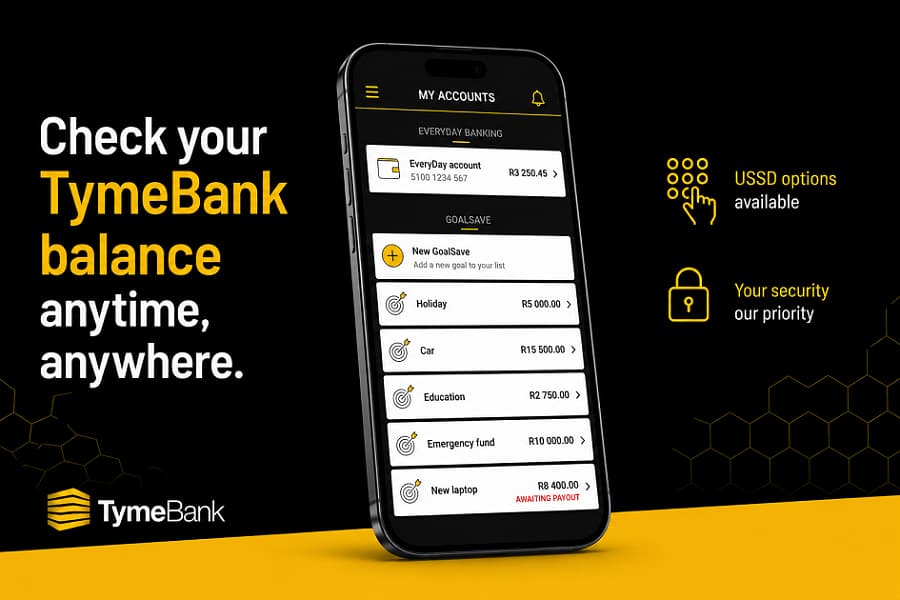
TymeBank app is the quickest way to check your account balance. Customers can also view their balance through TymeBank Internet Banking. If you don’t have access to the app, there are alternative ways to access your account information. Availability of USSD banking services may change over time, so it’s important to confirm the latest options through TymeBank. Always use official TymeBank channels when checking your balance to protect your personal and financial information.
Whether you’re about to pay a bill, transfer money, or make a purchase, checking your available balance first can help you avoid declined transactions, unexpected fees, or accidental overspending.
TymeBank gives customers several convenient ways to view their account balance. While the mobile banking app is the most popular option, it isn’t the only one. Depending on your circumstances, you may also be able to use internet banking or other official banking channels to access your account information.
In this guide, I’ll explain the different ways to check your TymeBank balance, discuss whether USSD balance enquiries are available, and share practical tips for keeping your banking information secure.
Why Checking Your Account Balance Is Important
Many people only check their account when they expect a salary payment or before making a large purchase. In reality, monitoring your balance regularly can help you make better financial decisions every day.
For example, checking your balance before authorising a debit order or transferring money can reduce the risk of failed transactions or unnecessary charges. It also makes it easier to spot unfamiliar activity early, giving you the opportunity to report suspicious transactions without delay.
If you’re trying to reduce your overall banking costs, reviewing your balance alongside your recent transactions can also reveal spending patterns that may otherwise go unnoticed.
This is one of the reasons I recommend reading our guide on How to Reduce Monthly Bank Fees in South Africa (Without Changing Banks), where I explain how small changes in banking habits can lead to meaningful savings over time.
First Method: Check Your TymeBank Balance Using the Mobile App
For most customers, the TymeBank app is the fastest and most convenient way to see how much money is available in their account.
After signing in securely, your available balance is usually displayed on the main account screen, allowing you to review your finances within seconds.
Besides checking your balance, the app also allows you to:
- View recent transactions
- Transfer money between eligible accounts
- Pay beneficiaries
- Download account statements
- Monitor savings balances
- Manage your debit card
- Update selected account settings
Because the app combines several banking services in one place, many customers rely on it as their primary way of managing everyday banking.
Before logging in, make sure you’re using the official TymeBank app downloaded from a trusted app store. Keeping the application updated also helps ensure you have access to the latest security improvements and new features.
Steps to Check Your Balance Using the App
Although the interface may change as the app is updated, the general process remains straightforward.
- Open the official TymeBank app.
- Sign in using your secure login credentials.
- Complete any required security verification.
- Select your Everyday Account if it isn’t displayed automatically.
- View your available balance and recent transactions.
Many customers appreciate that this process takes less than a minute and can be completed from virtually anywhere with an internet connection.
Understanding Your Available Balance
It’s important to understand that the balance shown in your account may not always reflect money that is immediately available to spend.
For example, pending card transactions, scheduled debit orders, or recently deposited funds may affect the amount available for new purchases.
If something doesn’t look correct, reviewing your recent transaction history can often explain the difference before contacting customer support.
Second Method: Check Your TymeBank Balance Without the App
Not everyone has the TymeBank app installed, and there may be times when you can’t access it. Your phone could be unavailable, you may have limited storage space, or you might simply prefer using another banking channel.
Fortunately, the mobile app isn’t your only option.
Depending on your situation, you can still access your account through TymeBank Internet Banking or other official customer service channels. Having multiple ways to check your balance ensures you’re not entirely dependent on one device.
Before using any alternative method, always verify that you’re accessing an official TymeBank service. Fraudsters often create fake websites or send messages pretending to be from banks in an attempt to steal login details.
Can You Check Your TymeBank Balance Without Internet Access?
This is one of the questions customers ask most often.
The answer depends on which banking services TymeBank currently supports.
Unlike some South African banks that offer extensive USSD banking for balance enquiries and transfers, TymeBank’s digital banking model focuses primarily on its mobile app and Internet Banking platform. Service offerings can change as new features are introduced, so it’s worth checking TymeBank’s official support channels for the latest information.
If your internet connection is unavailable, you may need to wait until you’re online again or use another authorised banking channel.
The important point is not to rely on unofficial websites or third-party apps claiming to display your account balance.
Third Method: Check Your Balance Through TymeBank Internet Banking
If you have access to a desktop computer, laptop, or tablet, Internet Banking offers another simple way to view your account information.
Many people prefer using a larger screen when reviewing recent transactions or downloading account statements, particularly if they’re managing personal budgets or checking multiple payments.
How to Check Your Balance Online
The process is generally straightforward:
- Visit the official TymeBank Internet Banking login page.
- Enter your login credentials.
- Complete any required security verification.
- Access your Everyday Account dashboard.
- View your available balance and recent transactions.
Internet Banking also allows customers to perform many of the same tasks available in the mobile app, including transferring money, paying beneficiaries, and downloading statements.
If you’re still learning how the platform works, our article TymeBank Explained: Accounts, Login, Internet Banking, App Features, Branch Code, and Fees in South Africa provides a broader overview of TymeBank’s digital banking services.
Are USSD Balance Enquiries Available?
USSD banking has traditionally been popular in South Africa because it allows customers to perform basic banking functions without needing mobile data or a smartphone.
Many readers specifically search for USSD balance checks when switching between banks.
At the time of writing, TymeBank’s primary banking channels are its official mobile app and Internet Banking platform. I could not independently confirm a publicly available USSD code that customers can universally use to check their account balance.
Because banking services evolve over time, it’s always advisable to confirm the latest USSD options directly through TymeBank before relying on information shared on forums or social media.
If TymeBank introduces or expands USSD functionality in the future, customers should continue using only the official codes published by the bank.
Other Ways to Monitor Your Account
Checking your available balance isn’t the only way to keep track of your finances.
Several additional tools can help you monitor your account more effectively.
Transaction History
Reviewing recent transactions provides valuable context behind your current balance.
You can quickly identify:
- Salary deposits
- Debit orders
- Card purchases
- EFT payments
- Cash withdrawals
- Service charges
Looking beyond the available balance often makes it easier to understand exactly where your money has gone.
Account Statements
Downloading monthly statements allows you to review your banking activity over a longer period.
Statements can be useful when:
- Applying for credit
- Preparing a budget
- Verifying payments
- Completing tax records
- Tracking spending habits
Rather than checking only your balance, reviewing statements regularly gives you a much clearer picture of your financial behaviour.
Transaction Notifications
If enabled, transaction notifications provide another convenient way to monitor your account.
These alerts can notify you whenever:
- Money is deposited.
- A payment is made.
- Your card is used.
- A transfer is completed.
Receiving immediate notifications helps you identify unfamiliar activity much sooner than waiting to review your balance days later.
Why Your Balance May Look Different Than Expected
Occasionally, customers notice that the balance displayed isn’t what they anticipated.
There are several perfectly normal reasons why this can happen.
These include:
- Pending card transactions
- Scheduled debit orders awaiting processing
- Recently received payments
- Temporary transaction authorisations
- Processing delays between financial institutions
Before assuming there’s an error, it’s worth comparing your available balance with your recent transaction history.
In many cases, the explanation becomes clear after reviewing your latest account activity.
Troubleshooting Balance Enquiry Problems
If you’re unable to view your balance, try these basic checks before contacting customer support.
Confirm Your Internet Connection
A weak or unstable internet connection can prevent the app or website from loading correctly.
Switching between Wi-Fi and mobile data sometimes resolves temporary connection issues.
Update the Mobile App
Running an outdated version of the TymeBank app may occasionally lead to login or display issues.
Installing the latest version ensures you’re using the newest security updates and features.
Verify Your Login Details
Double-check that you’re entering the correct username, password, or authentication information.
Repeated failed login attempts may temporarily restrict account access for security reasons.
Check for Service Interruptions
Like every financial institution, banks occasionally perform scheduled maintenance or experience temporary technical issues.
If multiple customers report similar problems, waiting a short while before trying again may resolve the issue.
Contact TymeBank Support
If you still cannot access your balance after completing these checks, contacting TymeBank through its official customer support channels is the safest next step.
Avoid sharing your banking credentials with anyone claiming to offer assistance through unofficial messaging groups or social media comments.
Security Tips When Checking Your TymeBank Balance
Checking your account balance is something many people do several times a week, but it’s also an activity that should be done securely. Cybercriminals often target banking customers through phishing emails, fake websites, fraudulent SMS messages, and impersonation scams. Fortunately, a few simple habits can significantly reduce your risk.
Always Use Official Banking Channels
Whether you’re using the TymeBank app or Internet Banking, make sure you’re accessing the official platform.
Avoid clicking banking links sent through unexpected emails, WhatsApp messages, or social media posts. Instead, open the app directly on your phone or type the bank’s website address into your browser.
Never Share Your Login Details
TymeBank will never ask you to disclose your password, PIN, or one-time password (OTP) through email, SMS, or a phone call.
If someone contacts you claiming to represent the bank and requests confidential information, treat it as suspicious until you’ve verified their identity through TymeBank’s official customer support channels.
Keep Your Device Updated
Regular software updates don’t just introduce new features, they also fix security vulnerabilities that criminals may try to exploit.
For better protection:
- Update your phone’s operating system.
- Install the latest version of the TymeBank app.
- Use trusted antivirus software where appropriate.
- Lock your device with a PIN, password, fingerprint, or facial recognition.
Monitor Your Transactions Regularly
Checking your balance tells you how much money is available, but reviewing your transaction history gives you a clearer picture of how your account is being used.
Look out for:
- Purchases you don’t recognise
- Unexpected debit orders
- Duplicate transactions
- Small test payments you didn’t authorise
Reporting suspicious activity quickly may help limit potential losses.
For more practical advice on avoiding unnecessary banking costs, you may also find these guides useful:
- Penalty Fees & Debit Orders: What I Learned the Hard Way and How You Can Avoid the Same Mistakes
- Hidden Costs of Digital Banking in South Africa
- How to Reduce Monthly Bank Fees in South Africa (Without Changing Banks)
Frequently Asked Questions
What is the quickest way to check my TymeBank balance?
For most customers, the TymeBank mobile app is the fastest option. After logging in securely, your available balance is typically displayed on your account dashboard.
Can I check my TymeBank balance without the app?
Yes. If you have Internet Banking access, you can log in through the official TymeBank website to view your balance and recent transactions.
Does TymeBank offer USSD balance enquiries?
At the time of writing, I could not independently confirm a publicly available USSD service that customers can use specifically for balance enquiries. Since banking services evolve, it’s best to verify the latest options through TymeBank’s official support channels.
Is checking my balance free?
Viewing your balance through the official TymeBank app or Internet Banking is generally not charged as a separate banking transaction. However, your mobile network provider may charge for data usage when accessing online banking services.
Always refer to TymeBank’s latest pricing guide for current banking fees and applicable charges.
For a detailed breakdown, read our TymeBank Fee Structure Explained (South Africa) article.
Why doesn’t my available balance match my recent deposits?
Your available balance may differ due to pending card transactions, scheduled debit orders, payment processing times, or temporary authorisations placed on your account.
Reviewing your recent transaction history often explains the difference.
Is it safe to use public Wi-Fi when checking my balance?
It’s generally safer to avoid accessing Internet Banking or mobile banking over unsecured public Wi-Fi networks.
If you must use public internet access, consider using a trusted mobile data connection instead and avoid saving your login details on shared devices.
Conclusion
Checking your TymeBank balance is a simple task, but doing it regularly can have a meaningful impact on how you manage your finances. Whether you prefer using the mobile app or Internet Banking, staying informed about your available funds helps you budget more effectively, avoid declined transactions, and identify unusual account activity before it becomes a bigger problem.
While many customers search for USSD options, it’s equally important to use only official banking channels and verify any new services directly with TymeBank. Banking features continue to evolve, and relying on outdated information from unofficial websites or social media could expose you to unnecessary security risks.
If you’re still deciding whether TymeBank is the right bank for your needs, or you’re comparing it with other South African banks, explore these related guides on SA Bank Fees:
- TymeBank Explained: Accounts, Login, Internet Banking, App Features, Branch Code, and Fees in South Africa
- Compare Major South African Bank Fees
- Digital Bank Fees and Challenger Banks Fees (South Africa)
- Bank Zero Pricing Model Explained (South Africa)
- Discovery Bank Fees and Rewards Explained (South Africa)
By reviewing your account regularly and using secure banking practices, you’ll be better equipped to stay in control of your money every day. However, the right banking experience isn’t just about checking your balance, it’s about understanding your spending habits, choosing services that match your financial goals, and keeping unnecessary fees to a minimum.
