
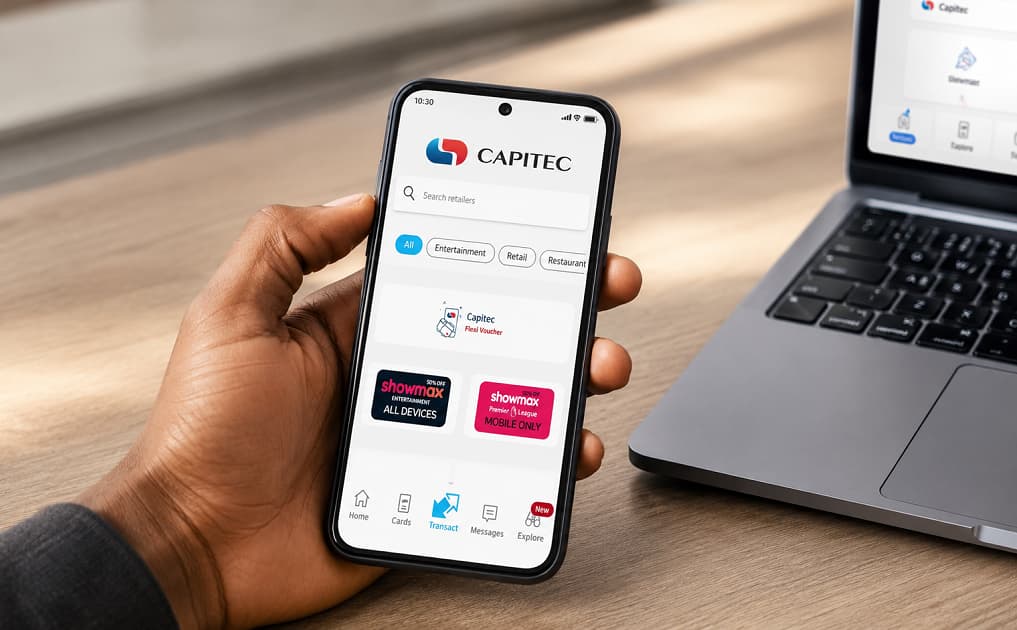
A bank confirmation letter confirms your banking details and account ownership. Eligible customers can request a proof of account using the Capitec Bank App. The document can usually be downloaded, emailed, or shared digitally. Many organisations accept the electronic version instead of a printed copy. Documents generated by Capitec include security features that help verify authenticity.
A bank confirmation letter, also referred to as a proof of account or bank account confirmation letter, is one of the most frequently requested banking documents in South Africa. Employers, insurance companies, investment providers, landlords, government departments, and debit order service providers often require it to verify that your banking details are correct.
Rather than visiting a branch for every request, many Capitec customers can obtain a proof of account digitally through the Capitec Bank App, making the process faster and more convenient. Capitec also uses its SkyQR verification system, allowing organisations that receive the document to verify its authenticity and reduce the risk of document fraud.
This guide explains what a Capitec bank confirmation letter is, when you need one, how to request it using the mobile app, and what to do if you encounter problems.
What Is a Capitec Bank Confirmation Letter?
A bank confirmation letter is an official document issued by Capitec that verifies your account details.
It differs from a bank statement because it focuses on confirming your banking information rather than showing your transaction history.
A confirmation letter is commonly used to prove:
- Your account exists.
- You are the account holder.
- Your banking details are correct.
- Payments can be made into the account.
Because it contains official banking information, many organisations request this document before processing payments or setting up debit orders.
When Might You Need a Bank Confirmation Letter?
You may be asked to provide a confirmation letter in situations such as:
- Starting a new job
- Registering salary payments
- Applying for a personal loan
- Applying for vehicle finance
- Applying for a home loan
- Opening an investment account
- Registering a debit order
- Receiving insurance claim payments
- Verifying banking details for SARS refunds
- Registering with suppliers or clients
Unlike a bank statement, a confirmation letter usually does not reveal your transaction history, making it suitable when only your banking details need to be confirmed.
Information Typically Included
Although the exact layout may change over time, a Capitec proof of account generally includes:
- Account holder’s name
- Account number
- Branch code
- Bank name
- Account type
- Date issued
- Verification features
- Official banking confirmation details
Capitec documents may also include a SkyQR verification code that recipients can use to confirm the document’s authenticity.
What You Need Before Requesting a Confirmation Letter
Preparing beforehand helps make the process quicker.
You’ll generally need:
- An active Capitec account
- The latest version of the Capitec Bank App
- Your registered cellphone
- Internet access or secure Wi-Fi
- Your Remote PIN or biometric login
If you have not yet activated digital banking, you should first complete the setup process.
This guide How to Activate the Capitec Bank App Without Going to the Bank: Requirements, Registration, Login, and Troubleshooting explains how to register and activate the app remotely.
Step-by-Step: How to Get a Bank Confirmation Letter on Capitec Bank App
The exact screens may differ slightly depending on the version of the app you are using, but the overall process remains similar.
Step 1: Sign In Securely
Open the Capitec Bank App.
Log in using:
- Remote PIN
- Fingerprint
- Face recognition
Always verify that you’re using the official Capitec application.
Step 2: Select Your Main Account
After logging in, choose the account for which you require the confirmation letter.
Most customers will select their primary transactional account.
Step 3: Locate the Proof of Account or Documents Section
Navigate to the area where account documents are available.
Depending on app updates, this may appear under:
- Account details
- Documents
- Statements and documents
- Proof of account
Capitec periodically updates the app interface, so menu names may change while the functionality remains available.
Step 4: Generate the Confirmation Letter
Choose the option to generate or request a proof of account.
The app prepares an official digital document containing your banking details.
Step 5: Download the Document
Once generated, you can save the confirmation letter as a PDF on your smartphone.
Keeping a digital copy allows you to reuse it whenever an organisation requests proof of banking details.
Step 6: Email or Share the Letter
The app allows you to share the document electronically.
You can:
- Email it to yourself.
- Send it directly to an employer.
- Share it with a financial institution.
- Upload it to an online application portal.
Always verify the recipient’s email address before sending confidential financial information.
Can You Print the Confirmation Letter?
Yes.
After downloading the PDF, you can:
- Print it from your computer.
- Print directly from a compatible smartphone.
- Email it to yourself before printing later.
Many organisations now accept electronic copies, but some may still request printed documents.
Is a Digital Confirmation Letter Official?
Yes.
Proof of account documents generated through Capitec’s official banking channels are intended to serve as official banking documents.
Recipients can verify certain documents using Capitec’s SkyQR verification service, helping confirm that the information has not been altered.
Some organisations may also specify that the document must have been issued within a recent period, such as the last three months.
Common Reasons a Confirmation Letter Is Rejected
Even an official document may be rejected if it does not meet the requesting organisation’s requirements.
Examples include:
- The document is too old.
- The banking details no longer match your records.
- The organisation specifically requires a recently issued proof of account.
- The uploaded PDF is incomplete or unreadable.
Before resubmitting the document, confirm exactly what the organisation requires.
Troubleshooting Common Problems
I Can’t Find the Proof of Account Option
This may occur because:
- The app requires updating.
- The feature has been relocated after an app redesign.
- Temporary maintenance is affecting document services.
Installing the latest version of the app often resolves interface-related issues.
The PDF Won’t Download
Check:
- Your internet connection.
- Available phone storage.
- Whether the app is fully updated.
Restarting the application may also help.
I Can’t Open the Document
Most smartphones include a built-in PDF viewer.
If yours does not, install a compatible PDF reader before opening the file.
The Confirmation Letter Contains Incorrect Information
If your banking details or personal information appear incorrect, contact Capitec before submitting the document to another organisation.
Do not alter or edit the document yourself.
Keeping Your Banking Documents Secure
Because proof of account documents contain personal banking information, handle them carefully.
Good security habits include:
- Locking your smartphone with biometrics or a PIN.
- Avoiding public Wi-Fi when downloading banking documents.
- Deleting unnecessary copies from shared devices.
- Sending documents only to trusted recipients.
- Never sharing your Remote PIN.
Capitec also recommends keeping your verified email address up to date, as it assists with certain digital banking functions, including device changes and account recovery.
Related Banking Guides
A confirmation letter is only one of several documents you may need while managing your finances.
If an organisation requests your recent transaction history instead, see this guide How to Get a Bank Statement from the Capitec Bank App: View, Download, Email, and Print Your Statement.
To better understand your everyday banking costs, explore Capitec Bank Fee Breakdown: What You Really Pay (From Real Usage).
If you’re comparing Capitec with other South African banks, Compare Major South African Bank Fees and Compare Bank Accounts Using Real Usage Scenarios: The Method I Used to Finally Pick the Right One provide useful comparisons.
You can also reduce unnecessary banking expenses by reading How to Reduce Monthly Bank Fees in South Africa (Without Changing Banks) and Hidden Costs of Digital Banking in South Africa.
Frequently Asked Questions
Is a bank confirmation letter the same as a bank statement?
No.
A confirmation letter verifies your banking details, while a bank statement shows your account transactions over a specified period.
Can I get a confirmation letter without visiting a branch?
Many customers can request a proof of account digitally through the Capitec Bank App, depending on their account status and access to digital banking services.
Is the confirmation letter free?
Digital banking services are generally available through the Capitec Bank App, but you should consult Capitec’s latest pricing guide to confirm whether any fees apply to specific services.
Can I email the confirmation letter directly from the app?
Yes.
After generating the document, you can typically share or email it directly from your smartphone.
Can employers verify my confirmation letter?
Yes.
Capitec’s SkyQR verification system allows recipients to verify the authenticity of eligible documents such as proof of account and bank statements.
How recent should my confirmation letter be?
Requirements differ between organisations.
Many employers, lenders, and service providers ask for a document issued within the previous one to three months.
Conclusion
Obtaining a Capitec bank confirmation letter no longer requires a trip to a branch for many customers. Through the Capitec Bank App, you can generate an official proof of account, save it as a PDF, email it securely, or print it whenever needed.
Keeping an up-to-date confirmation letter readily available can simplify everything from salary payments and loan applications to debit order registrations. Combined with Capitec’s document verification features and secure digital banking platform, the process offers a convenient way to provide trusted banking information while helping protect against document fraud.
