
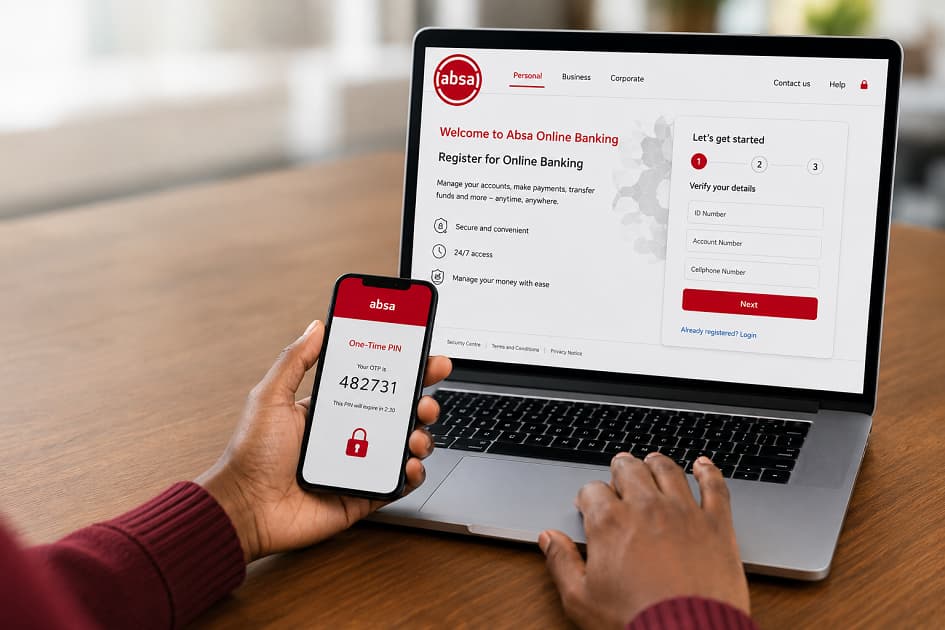
Online banking has become one of the easiest ways for South Africans to manage their finances without visiting a branch. Whether you need to pay bills, transfer money, download statements, or monitor your spending, registering for Absa Online Banking gives you secure access to your accounts from virtually anywhere.
Many new customers assume registration is complicated, but the process is straightforward once you understand the requirements and security checks involved. The key is ensuring that your banking profile, contact information, and verification details are ready before you begin.
This guide explains exactly how to register for Absa Online Banking in South Africa, what you need beforehand, how activation works, common problems users experience, and practical security tips to help protect your account.
Important Notes:
- Registering for Absa Online Banking requires an active Absa account and verified personal information.
- You can complete registration online if you meet the eligibility requirements.
- Your cellphone number plays an important role during identity verification.
- Registration includes creating secure login credentials.
- Multi-factor authentication helps protect your banking profile.
- Once registered, you can manage accounts, transfer funds, pay beneficiaries, buy prepaid services, and access statements.
- Following good online security practices significantly reduces fraud risks.
What Is Absa Online Banking?
Absa Online Banking is the bank’s internet banking platform that allows customers to perform banking transactions through a web browser instead of visiting a physical branch.
After registration, customers can access many everyday banking services, including:
- Checking account balances
- Viewing transaction history
- Making payments
- Transferring money
- Downloading bank statements
- Managing beneficiaries
- Purchasing prepaid electricity
- Buying airtime and data
- Updating selected account settings
For many customers, online banking becomes the primary way of managing personal finances because it offers convenience throughout the day without depending on branch operating hours.
Why Register for Absa Online Banking?
Registering provides access to banking services whenever you need them.
Some of the biggest advantages include:
Banking From Anywhere
Whether you’re at home, travelling, or working remotely, your account remains accessible through an internet connection.
Faster Payments
Many payments can be completed within minutes without standing in queues.
Easier Account Monitoring
Regularly reviewing transactions helps customers identify unusual activity sooner.
Monitoring your account frequently can also make it easier to control banking costs. If you’re trying to understand where your money goes every month, our guide on How to Reduce Monthly Bank Fees in South Africa (Without Changing Banks) explains several practical habits that may lower unnecessary charges.
Better Financial Organisation
Online banking makes it easier to:
- Download statements
- Track spending
- Verify deposits
- Confirm payments
- Review account activity
Requirements Before Registering
Before starting the registration process, make sure you have the following.
An Active Absa Bank Account
You must already have an eligible Absa banking account.
Examples include:
- Cheque account
- Savings account
- Transaction account
South African Identification
You’ll typically need identification details that match your banking profile.
These may include:
- South African ID number
- Passport (where applicable)
Registered Mobile Number
Your cellphone number is often used during verification.
If your number has changed and hasn’t been updated with Absa, registration may not succeed until your banking profile is updated.
Internet Access
Registration requires a stable internet connection.
Personal Information
Be prepared to verify information such as:
- Date of birth
- Banking details
- Identity information
How to Register for Absa Online Banking
The registration process generally consists of several straightforward steps.
Step 1: Visit the Official Registration Page
Navigate to the official Absa Online Banking registration portal using your web browser.
Always confirm that you are using the genuine Absa website before entering any personal information.
Step 2: Select Registration
Choose the option for new users who wish to register for online banking.
Existing users who have forgotten login details should use the recovery options instead of creating another profile.
Step 3: Verify Your Identity
Absa will request information to confirm your identity.
This verification process helps protect customer accounts from unauthorized registration.
Depending on your account type, verification may involve:
- ID number
- Account number
- Debit card information
- One-Time Password (OTP)
Step 4: Create Your Username
Choose a username that is easy for you to remember but difficult for others to guess.
Avoid using:
- Birthdays
- ID numbers
- Phone numbers
- Obvious names
Step 5: Create a Strong Password
A secure password is one of your most important security protections.
Good passwords usually include a combination of:
- Uppercase letters
- Lowercase letters
- Numbers
- Special characters
Never reuse passwords from:
- Email accounts
- Social media
- Shopping websites
Step 6: Accept the Terms
Read the banking terms before accepting them.
Understanding your responsibilities as an online banking user can help prevent misunderstandings later.
Step 7: Complete Security Verification
Absa may send a verification code to your registered cellphone.
Enter the code before it expires.
Step 8: Finish Registration
Once verification succeeds, your Online Banking profile is activated.
You can then log in using your newly created credentials.
What Can You Do After Registering?
Once registration is complete, several banking features become available.
Account Management
Customers can:
- View balances
- Review transactions
- Access statements
Payments
You can pay:
- Individuals
- Businesses
- Municipal accounts
- Service providers
Transfers
Move money between eligible accounts.
Beneficiary Management
Save frequently used payment recipients.
Prepaid Purchases
Buy:
- Electricity
- Airtime
- Mobile data
Security Features That Protect Your Account
Security is a major reason why online banking registration includes multiple verification steps.
One-Time Passwords (OTP)
OTPs provide additional verification before certain actions are completed.
Encrypted Connections
Secure website encryption helps protect information transmitted between your device and the banking platform.
Login Credentials
Only authorised users should know:
- Username
- Password
- Security verification codes
Best Practices After Registration
Creating an online banking profile is only the beginning. Protecting it requires ongoing attention.
Never Share OTPs
Absa employees will not normally ask you to disclose one-time passwords.
Anyone requesting your OTP should be treated with caution.
Keep Your Contact Details Updated
Outdated cellphone numbers may prevent successful verification.
Monitor Transactions Frequently
Checking recent activity helps detect suspicious transactions early.
Avoid Public Wi-Fi
Public wireless networks may expose sensitive information if they are not secure.
Log Out Properly
Always sign out after completing your banking session, especially on shared computers.
Common Registration Problems and Solutions
Most registration issues can be resolved without much difficulty.
OTP Not Received
Possible causes include:
- Network delays
- Incorrect cellphone number
- Temporary service interruptions
Check that your registered mobile number is correct.
Verification Failed
Identity verification may fail if information entered doesn’t match the records held by the bank.
Double-check:
- ID number
- Account information
- Personal details
Username Already Exists
If you previously registered, you may need to recover your existing profile instead of registering again.
Browser Problems
Older browsers occasionally experience compatibility issues.
Updating your browser or trying another supported browser may resolve the problem.
Tips for Creating a Secure Banking Password
Strong passwords remain one of the simplest ways to improve account security.
Good password habits include:
- Using unique passwords
- Avoiding dictionary words
- Never sharing passwords
- Updating passwords periodically
- Using a password manager if needed
Online Banking Safety Tips
Cybercriminals continually develop new methods of targeting banking customers.
Practising safe online habits greatly reduces your exposure.
Watch for Phishing
Fraudsters often create fake emails or websites that imitate banks.
Always verify website addresses before logging in.
Install Device Updates
Security updates frequently fix vulnerabilities that criminals attempt to exploit.
Enable Device Security
Protect your phone or computer using:
- Biometrics
- PIN codes
- Password protection
Avoid Saving Passwords on Shared Devices
Shared computers increase the risk of unauthorized access.
Does Online Banking Affect Bank Charges?
Registering for online banking itself is generally separate from the fees associated with your banking account. However, the transactions you perform may still attract charges depending on your account type and pricing plan.
For example, electronic payments, immediate transfers, ATM withdrawals, and card-related services may each have different pricing structures.
If you’re trying to understand how Absa compares with other major banks, our Absa Account Fees Compared: What I Learned From The Users article provides practical insights based on everyday banking experiences.
You may also find these related guides useful:
- Compare Major South African Bank Fees for an overview of pricing across leading banks.
- Pay-Per-Use vs Bundled Bank Accounts in South Africa: Which One Actually Saves You More? if you’re deciding between account types.
- Hidden Costs of Digital Banking in South Africa to understand charges that customers sometimes overlook.
- Compare Bank Accounts Using Real Usage Scenarios if you’re choosing a new account based on how you actually bank rather than marketing features.
Comparisons like these are valuable because the cheapest account on paper is not always the lowest-cost option for every customer. Transaction habits often have a much greater impact on monthly costs than account fees alone.
Can You Use Online Banking and the Mobile Banking App Together?
Yes.
Many customers use both services.
Typically:
- Online Banking works through your web browser.
- The mobile banking app provides similar functionality through your smartphone.
Using both platforms allows greater flexibility depending on the device you’re using.
When Should You Contact Absa?
Although most customers complete registration independently, support may be necessary if:
- Your identity cannot be verified.
- Your registered cellphone number is outdated.
- Your account is locked.
- You suspect fraud.
- Login credentials no longer work.
- Your banking profile requires updating.
For security reasons, avoid asking others to complete registration on your behalf.
Frequently Asked Questions
Can I register without visiting a branch?
Many eligible customers can complete registration online. However, some situations involving identity verification or profile updates may require additional verification.
Is Absa Online Banking free?
Registration is generally separate from normal banking charges, but transaction fees depend on your account and the services you use.
Can I register using my phone?
Yes. Many users complete registration using a smartphone with a supported web browser and internet connection.
What should I do if I forget my password?
Use the password recovery option provided on the online banking login page instead of creating a new profile.
Can I access multiple Absa accounts?
Eligible accounts linked to your banking profile can generally be managed through a single online banking login, subject to the bank’s account linking rules.
Is Online Banking available 24 hours a day?
The platform is generally available throughout the day, although planned maintenance or temporary technical issues may occasionally affect access.
Conclusion
Registering for Absa Online Banking is a practical step toward managing your finances more efficiently. Once your account is activated, everyday tasks such as checking balances, paying bills, transferring funds, downloading statements, and monitoring account activity become significantly more convenient.
Equally important is maintaining good digital security habits after registration. Using strong passwords, protecting one-time passwords, reviewing transactions regularly, and remaining alert to phishing attempts all contribute to keeping your banking information secure.
Finally, remember that online banking is only one part of managing your finances effectively. Understanding your account’s fee structure, comparing pricing models, and reviewing your transaction habits can make a noticeable difference to your monthly banking costs. Exploring related resources such as How to Reduce Monthly Bank Fees in South Africa (Without Changing Banks) and Compare Major South African Bank Fees can help you make more informed banking decisions over the long term.
