
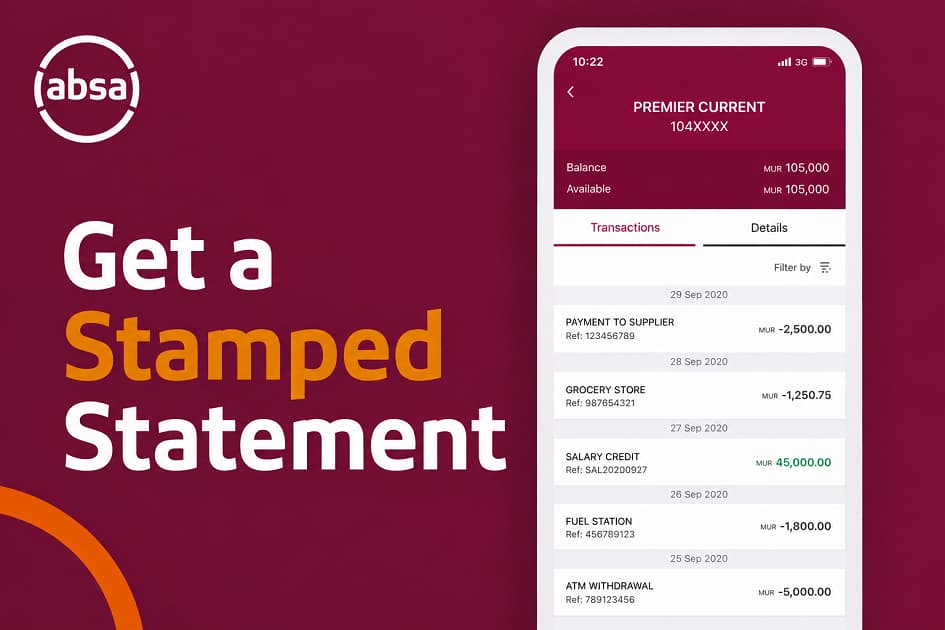
Getting a Absa stamped bank statements is usually simple. Getting the right type of statement for a specific application can be a little more confusing.
A landlord may ask for a stamped statement. An employer may request proof of banking details. A lender may want an Absa confirmation statements rather than a transaction statement. A government department or service provider may have its own documentation requirements.
The good news is that Absa provides several digital ways to obtain these documents without necessarily visiting a branch. According to Absa’s current help information, customers can download stamped statements from the Absa Banking App, while Absa Online Banking also provides access to statements and bank confirmation letters. Absa ATMs can also provide statements and bank confirmation letters.
This guide explains the difference between these documents, how to get a stamped statement from Absa, when an Absa stamped bank statements is more appropriate, and what to check before submitting your banking documents.
Key Points:
- You can download a stamped bank statement directly from the Absa Banking App.
- In the current Absa Banking App instructions, the process is Home → relevant account → Statements → Download stamped statement, followed by selecting the required date range.
- Absa Online Banking also provides a stamped-statement download option.
- A bank confirmation letter is generally more appropriate when an organisation wants confirmation of your account and banking details rather than a history of transactions.
- Absa says its ATMs can provide statements and bank confirmation letters, including options to print or email a bank confirmation letter.
- Fees and banking-service charges can change, so check Absa’s latest pricing information before assuming that a particular service is free. Absa currently publishes 2026 pricing guides on its rates-and-fees page.
What Is a Absa Stamped Bank Statement?
A stamped bank statement from Absa is a statement containing your account transaction information together with a bank-issued or electronic stamp that can be used to demonstrate that the document originated from the bank.
It can be useful when a third party wants more than a simple downloaded transaction history.
For example, you might be asked for a stamped statement when applying for:
- A rental property
- A loan or credit product
- Certain financial services
- A business-related service
- An administrative or government process
- Proof of income or financial activity
The exact document requirements depend on the organisation requesting it. A company may accept an electronically stamped statement, while another organisation may specifically request a branch-stamped document or a different form of verification.
That distinction matters.
Before downloading anything, check the wording of the request. If it says “stamped bank statement,” a stamped statement is the document you should investigate first. If it says “bank confirmation letter,” do not assume that a stamped transaction statement is an adequate substitute.
Absa currently specifically provides a Download stamped statement function in its Banking App.
How to Get a Absa Stamped Bank Statement From the Banking App
The easiest option for many customers is the Absa Banking App.
Absa’s current instructions show the following process:
- Log in to the Absa Banking App.
- From the Home page, select the relevant account.
- Open the Statements tab.
- Select Download stamped statement (.pdf).
- Choose the date range you require.
- Tap Download.
- Tap Done when the process is complete.
The resulting document can then be saved to your device or shared through the available options on your phone.
If you regularly need statements, it is worth keeping the downloaded PDF in a secure folder rather than repeatedly requesting the same document.
Your statement may contain sensitive information such as your account number, transaction history, balances and payment information. Treat the PDF as confidential financial information.
For a broader explanation of ordinary statements, see this guide How to Get Absa Bank Statement on the Banking App: Download, Print, and Stamped Statements. That article can serve as the more general reference, while this guide focuses specifically on obtaining a stamped statement and understanding when other documents are required.
Can You Download a Stamped Absa Statement Online?
Yes. Absa also provides stamped-statement functionality through its online banking channels.
Absa’s online banking help page instructs customers to log in, select the relevant cheque account, open Statements, choose Download stamped statement, select the required date range and download the statement.
This can be useful if you are working from a computer and need to save the statement directly to your laptop or desktop.
The basic online process is:
Log in → select your account → Statements → Download stamped statement → choose the date range → Download.
The exact appearance of the interface can change as Absa updates its online banking platform. If the menu labels look different from those described here, use Absa’s current help pages or the support options within its digital banking platform rather than relying on an old screenshot.
Absa also says customers can download ordinary statements through Absa Online Banking by selecting an account, entering a date range and choosing the download option.
What Is the Difference Between a Stamped Statement and an Absa Bank Confirmation Letter?
This is one of the most important distinctions to understand.
A bank statement primarily shows account activity. Depending on the statement period, it can show transactions, dates, descriptions and balances.
A bank confirmation letter, on the other hand, is designed to confirm your banking details.
That means the two documents can serve different purposes.
For example, imagine an employer asks you to provide proof of the account into which your salary should be paid. They may not need three months of transactions. They may simply want confirmation of your banking details.
In that situation, an Absa bank confirmation letter may be the more appropriate document.
Absa’s Online Banking help currently provides a dedicated process for downloading a bank confirmation letter: log in, select Accounts, choose the relevant account, select More, then Documents, followed by Bank confirmation letter. You then accept the verification request and download the document.
Absa also says its Banking App can provide bank confirmation letters through the Documents section.
So, before sending a large transaction statement, check exactly what the recipient requested.
How to Get an Absa Bank Confirmation Letter From the Banking App
If the organisation requesting your documents specifically asks for an Absa bank confirmation letter, the Banking App may be the quickest route.
Absa’s current guidance says customers can access the confirmation letter through the Banking App by:
- Logging in to the Absa Banking App.
- Tapping Menu.
- Selecting Documents.
- Finding the bank confirmation letter.
Absa’s virtual assistant, Abby, can also guide customers through banking-app tasks, including getting bank confirmation letters and downloading stamped statements. Absa says Abby is available within the Banking App and can provide step-by-step assistance.
If you need a more detailed explanation of this document, see our related guide How to Get Absa Bank Confirmation Letter: App, Online Banking, and ATM Guide.
That distinction is useful for SEO as well as for readers: people searching for an “Absa bank confirmation letter” are often trying to prove account ownership or banking details, while people searching for a “stamped bank statement” usually need transaction evidence.
How to Get an Absa Bank Confirmation Letter Online
You can also request the document through Absa Online Banking.
According to Absa’s current online help instructions:
- Go to Absa Online Banking and log in.
- Select the Accounts tab.
- Choose the account for which you need the confirmation letter.
- Select More.
- Select Documents.
- Select Bank confirmation letter.
- Accept the verification request.
- Select View to open the letter.
- Download the document and save or print it.
Absa also states that bank confirmation letters can be accessed from the Profile area under Documents.
If you are using Online Banking for the first time, you may want to read How to Register for Absa Online Banking in South Africa before attempting to retrieve documents.
Can You Get a Absa Stamped Statements From an Absa ATM?
Absa’s digital banking information says customers can obtain stamped statements from an Absa ATM. Its broader ATM service page also states that customers can get statements and bank confirmation letters and can print or email a bank confirmation letter.
This gives you another option when you cannot access the Banking App or Online Banking.
However, ATM functionality can depend on the service available at the particular machine and the account or document you are trying to access. If the ATM does not provide the option you need, use Absa’s digital channels or contact Absa directly.
Absa’s ATM network is designed to provide banking services 24/7, although the availability of a particular document function should not be confused with branch operating hours.
If ATM charges are a concern, remember that the cost of a transaction is separate from whether the machine is available. For a broader look at how cash withdrawals can affect your banking costs, see Are You Paying Too Much for ATM Withdrawal Fees in South Africa?
Do You Need to Visit an Absa Branch?
Not necessarily.
For a standard stamped statement, Absa currently provides digital options through the Banking App and Online Banking. Absa also provides ATM-based statement services.
That means a branch visit may not be necessary simply because an organisation has asked you for a stamped statement.
However, there are situations where contacting or visiting Absa may still be appropriate. For example, the requesting organisation might specifically require a branch-issued document, or you might have difficulty accessing the account through your digital channels.
The safest approach is to establish what the recipient will accept before making an unnecessary branch visit.
This is particularly relevant if you are trying to control banking costs. Branch-assisted services can have different pricing from digital self-service transactions, depending on your account and the service involved. Our Absa Account Fees Compared: What I Learned From The Users article looks at how account usage and service channels can affect the overall cost of banking.
What Should You Check Before Sending Your Statement?
Downloading the document is only half the job. Before sending it to another person or organisation, check that the statement contains what they requested.
Look at the following:
- Correct account holder name
- Correct account or banking details
- Required statement period
- Relevant transaction history, if requested
- Visible electronic stamp where applicable
- Complete pages
- Readable text
- Correct PDF file
Also check whether the recipient has specified a particular statement period.
If a landlord asks for three months of statements, sending one month is unlikely to satisfy the request. Likewise, if an employer only wants proof of banking details, sending a long transaction history may disclose more personal financial information than necessary.
The principle is simple: provide the document requested, and avoid unnecessarily exposing unrelated financial information.
What If You Need a Certified Bank Statement?
“Certified,” “stamped,” “bank statement,” and “bank confirmation letter” are sometimes used interchangeably in everyday conversations, but they should not automatically be treated as identical.
Absa’s official documentation specifically describes a stamped statement and separately describes a bank confirmation letter.
If a third party specifically says “certified bank statement,” ask them what form of certification they accept.
For example, they may accept an electronically stamped statement, or they may require a document certified in a particular way. I would not assume that a downloaded PDF will satisfy a requirement that explicitly says “certified” unless the recipient confirms it.
This is especially important for immigration, legal, property or financial applications where document requirements can be strict.
How to Print Your Absa Stamped Bank Statements
Once you have downloaded the PDF, you can normally open it on your phone or computer and use the device’s print function.
If you need a physical copy:
- Download the statement.
- Open the PDF.
- Check that all pages are present.
- Select the print option.
- Choose your printer.
- Review the print preview.
- Print the document.
Do not assume that printing an ordinary statement automatically makes it a stamped statement. The document should already be the stamped version supplied by Absa.
Absa explicitly provides a Download stamped statement option, so use that option rather than downloading an ordinary statement and printing it separately.
Are Absa Stamped Statements Free?
This is an area where I recommend checking the current Absa pricing guide rather than relying on an old article or a historical fee.
Absa currently publishes its rates and fees online and provides 2026 pricing guides for its everyday banking products. Its rates-and-fees page also confirms that customers can access statements through the Banking App, Absa Online or email.
The applicable charge, if any, can depend on the specific service, account and channel.
That matters because a fee mentioned in an older guide may no longer apply.
If you are reviewing your own Absa statement because you suspect you are paying unnecessary charges, you can use the Monthly Bank Fee Calculator for South Africans on SA Banks Fees to estimate your recurring costs. The calculator is explicitly presented as an estimate rather than an official bank quotation, so compare the result against your actual statement and Absa’s latest pricing information.
Why Your Banking Channel Can Affect Your Costs
Getting a statement is a good example of why the method you use to bank can matter.
Digital banking can allow you to complete tasks without travelling to a branch. Absa’s Banking App supports statement downloads and other account-management functions, while Online Banking provides similar self-service capabilities.
That does not mean every digital service is automatically free, nor does it mean every branch service is expensive. The actual charge depends on Absa’s current pricing and your account.
The broader point is that banking behaviour matters.
If you are interested in managing your Absa account digitally, this guide How to Use Absa Banking App for Payments, Transfers, and Account Management can be used as the next step after downloading your statement.
For a wider comparison, Monthly Bank Fees Compared Across South African Banks: What I Found After Checking My Own Accounts explains why the monthly account fee alone does not always show the true cost of banking.
How Your Statement Can Help You Audit Bank Fees
A bank statement is not only proof of your banking details. It can also be a useful record for reviewing what your account is actually costing you.
When I look at banking costs, I prefer to separate the charges into categories:
Fixed costs: monthly account or maintenance charges.
Transaction costs: charges associated with particular payments, withdrawals or transfers.
Penalty-related costs: charges associated with failed or problematic transactions.
Service-related costs: charges for particular banking services or assisted transactions.
This approach makes it easier to identify recurring charges that might otherwise disappear among dozens of ordinary transactions.
For example, you may notice several small charges that appear individually insignificant. Once you identify them across several months, the pattern becomes easier to understand.
Our How to Reduce Monthly Bank Fees in South Africa (Without Changing Banks) guide takes a similar behaviour-based approach to reducing unnecessary costs.
You can also use the Free SA Bank Fees Tool to estimate your monthly costs and identify the biggest fee categories worth reviewing.
Keep Your Banking Documents Secure
A stamped statement can contain enough information to expose sensitive financial details if it falls into the wrong hands.
Before emailing or uploading it, check:
- Who requested the document.
- Whether the recipient’s email address or upload portal is correct.
- Whether you actually need to provide the full statement.
- Whether the organisation requires the entire transaction history.
- Whether the file is being transmitted through a secure channel.
Avoid sending banking documents to unknown contacts simply because someone requests “proof of account.”
Also be careful when using public computers or shared devices. Log out of Absa Online Banking when finished, and avoid saving your banking password in a location where another person could access it.
Absa itself advises customers to take precautions such as avoiding public Wi-Fi for online banking and not storing passwords or PINs in clear text on a mobile device.
What If the Absa App Does Not Show the Stamped Statement Option?
First, make sure you have selected the correct account and are looking under the Statements section.
Absa’s current Banking App instructions specifically place the stamped statement option under the selected account’s Statements tab.
If the option is unavailable, consider whether:
- You selected the wrong account.
- The app needs updating.
- You are using a different account type with different document options.
- The requested statement period is unavailable through that channel.
- Absa has changed the app interface.
You can also try Absa Online Banking, where Absa provides a separate stamped-statement process.
If neither digital route provides what you need, contacting Absa is preferable to guessing which document will be accepted.
Stamped Statement vs Bank Confirmation Letter: Which One Should You Send?
The easiest way to decide is to look at what the recipient wants to establish.
| If they want to confirm… | The more relevant document is usually… |
|---|---|
| Your transaction history | Bank statement |
| Your account activity over a period | Bank statement |
| Your banking details | Bank confirmation letter |
| Your account ownership/details | Bank confirmation letter |
| A statement with a bank stamp | Stamped bank statement |
| A specific certification format | Confirm the recipient’s requirements |
The word “usually” is important because the final requirement belongs to the organisation requesting the document.
For example, a lender might ask for both a bank confirmation letter and several months of statements. A property agent might request a stamped statement. An employer may only need confirmation of your account details.
If you are unsure, ask the recipient before sending anything.
Other Reasons You May Need Absa Banking Documents
These documents can appear in many everyday financial situations.
You might need proof of banking details when changing employers, updating debit orders, registering for a service, receiving payments or completing a financial application.
You may also encounter bank-document requests when applying for credit.
For example, if you are researching vehicle finance, our Absa Vehicle and Asset Finance: Vehicle Loans, Requirements, and Interest Rates guide can help you understand the broader financing process. A lender may request financial documentation as part of an application, but the exact requirements depend on the product and application.
Similarly, when comparing banking products, don’t focus only on the interest rate or monthly fee. Our Compare Bank Accounts Using Real Usage Scenarios approach looks at the actual transactions a customer makes rather than comparing headline prices alone.
What About Bank Statements for Other Absa Products?
The statement process can differ depending on the type of account.
Absa’s current Banking App guidance includes separate instructions for credit card statements and home-loan e-stamped statements. For a credit card, customers select the credit card account, open Statements and download the relevant statement.
For an Absa Home Loan, the app provides an e-stamped statement process through the Home Loan account’s Statements tab.
This is another reason not to assume that instructions for one account automatically apply to every Absa product.
Frequently Asked Questions
How do I get a Absa stamped bank statements?
Log in to the Absa Banking App, select the relevant account, open Statements, select Download stamped statement, choose your date range and download the PDF. Absa also provides a stamped-statement option through Online Banking.
How do I get an Absa bank confirmation letter?
You can obtain an Absa bank confirmation letter through the Banking App or Absa Online Banking. On the app, Absa’s guidance directs customers to Menu → Documents. Online Banking provides a bank confirmation letter option under the relevant account’s Documents section.
Can I get an Absa bank confirmation letter from an ATM?
Yes. Absa says its ATMs provide bank confirmation letters and can print or email them.
Is a stamped bank statement the same as an Absa bank confirmation letter?
No. They are separate documents intended for different purposes. A stamped statement provides account transaction information, while a bank confirmation letter is designed to confirm banking details. Always follow the requirements of the organisation requesting the document.
Can I print my Absa stamped statement?
Yes. Once you download the stamped statement PDF, you can save it and print it. Absa also provides ATM and digital banking options for statements.
Can I get a Absa stamped bank statements without visiting an Absa branch?
Yes. Absa currently provides stamped-statement functionality through the Banking App and Online Banking.
How far back can I get an Absa statement?
The available statement period can depend on the account and channel. Absa’s current digital instructions allow customers to select a date range, but I cannot confirm a single universal maximum period that applies to every Absa account and channel. If you need an older statement, check the options presented in your account or contact Absa.
Does Absa charge for statements?
The answer can depend on the statement or service involved, so do not rely on an old fee quoted elsewhere. Absa publishes current rates and fees, including 2026 pricing guides, on its official rates-and-fees page.
Can I email my Absa statement?
Absa Online Banking provides an option to email bank statements, while downloaded statements can also be shared from your device.
What if a company refuses my electronic stamped statement?
Ask the company what exact document format it requires. Some organisations may accept an electronically stamped statement, while others may specify a branch stamp, certification or a bank confirmation letter. Do not assume that one document automatically satisfies every organisation’s requirements.
Conclusion
Getting a stamped statement from Absa no longer necessarily means standing in a branch queue.
For many customers, the quickest route is the Absa Banking App: select your account, open Statements, choose Download stamped statement, select the date range and download the PDF. Absa also provides the service through Online Banking, while its ATMs provide statement and bank-confirmation services.
The more important point is choosing the correct document.
If someone wants your transaction history, a statement is generally the relevant document. If they want confirmation of your banking details, an Absa bank confirmation letter is usually the better fit. If they specifically request a certified document, ask them what certification standard they require before submitting anything.
Finally, don’t overlook the financial value of your statements. They can show you exactly how you are using your account and help identify recurring charges that may otherwise go unnoticed.
For a broader review of your banking costs, continue with:
Absa Account Fees Compared: What I Learned From The Users.
Monthly Bank Fees Compared Across South African Banks: What I Found After Checking My Own Accounts.
How to Reduce Monthly Bank Fees in South Africa (Without Changing Banks).
You can also use the Monthly Bank Fee Calculator for South Africans to estimate your recurring banking costs and identify which charges deserve closer attention.
