
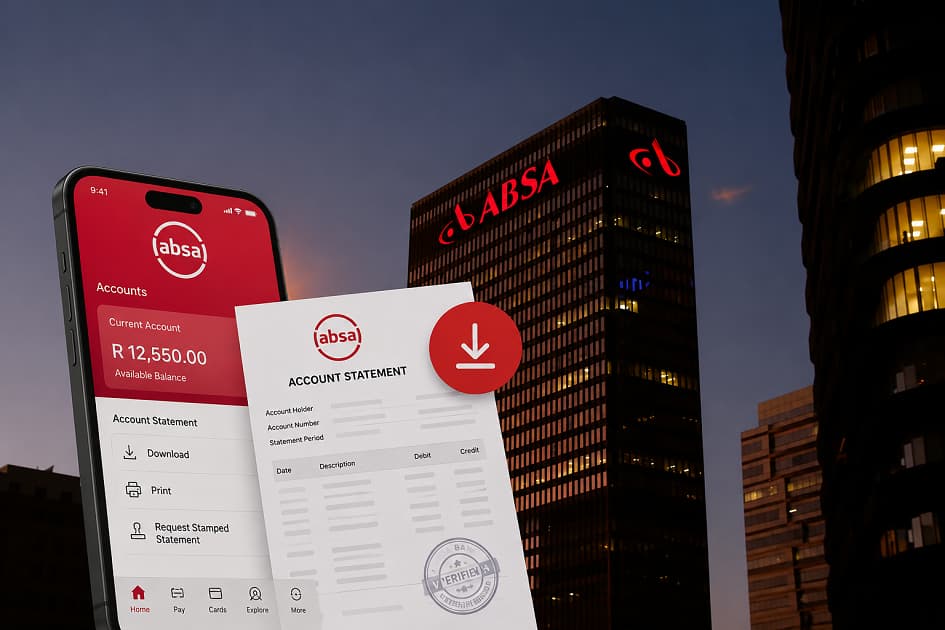
Getting an Absa Bank Statement does not necessarily mean visiting a branch or waiting for a paper document. If you have access to the Absa Banking App, you can view transactions and download statements directly from your account.
There is also an important distinction between an ordinary statement and a stamped statement. Absa provides separate options for downloading a standard statement and downloading a stamped statement, so choosing the correct one matters if you are submitting the document for a rental application, loan, account verification or another formal process.
This guide walks through the current process, explains how to save or print your statement, covers the online-banking alternative, and shows what to do when an organisation specifically asks for a stamped statement.
Key Notes:
- You can download an Absa Bank Statement through the Absa Banking App.
- To download a standard statement, select the relevant account, open Statements, choose the statement and date range, and select Download.
- You can view transaction activity without necessarily downloading a PDF by opening the account’s Transactions tab and selecting a date range.
- Absa provides a separate Download stamped statement (.pdf) option for customers who need a stamped document.
- Absa Online Banking also lets customers download statements, and Absa says statements can be emailed through its digital channels.
- A bank statement is different from an Absa bank confirmation letter. The former records account activity; the latter is intended to confirm banking details.
- Statement charges can depend on the service and account. Absa’s current pricing information should be checked before assuming that a particular download or statement service is free.
What Is an Absa Bank Statement?
An Absa Bank Statement is a record of activity on an Absa account for a selected period.
Depending on the account and statement type, it can show information such as transactions, dates, descriptions, amounts and balances. It can therefore serve two very different purposes.
Sometimes you simply want to check what happened in your account last month. Other times, you need an official-looking document to give to another organisation.
Those situations do not necessarily require the same process.
If you only want to check your recent transactions, the Banking App lets you view transaction activity from the account screen. If you need a downloadable document, Absa provides a statement-download function. And if a third party specifically asks for a stamped statement, there is a separate stamped-statement option.
That separation is worth understanding before you start downloading documents.
How to View Your Absa Transactions Without Downloading a Statement
If you only need to check your account activity, downloading a PDF may be unnecessary.
Absa’s current Banking App instructions say you can:
- Log in to the Absa Banking App.
- Select the relevant account from the Home page.
- Tap Transactions.
- Select the date range you want to review.
The app will then display the transactions for that period.
This is useful when you are checking whether a debit order went through, confirming a payment, reviewing a recent deposit or simply looking for a transaction.
It can also be a better starting point when you are auditing your bank fees. Before downloading several months of statements, you can use the transaction view to identify the dates and charges that deserve closer attention.
If you want to examine your broader banking costs, our Monthly Bank Fees Compared Across South African Banks: What I Found After Checking My Own Accounts article looks beyond the advertised monthly account fee and considers how everyday usage affects the total cost.
How to Download an Absa Bank Statement on the Banking App
When you need an actual statement document, Absa provides a dedicated download process.
According to Absa’s current Banking App help guide:
- Log in to the Absa Banking App.
- From the Home page, select the relevant account.
- Tap the Statements tab.
- Select the statement you want to download.
- Select the required date range.
- Tap Download.
- Accept the applicable charge if prompted.
- The statement will download to your device.
The wording and appearance of the app can change when Absa updates its interface, but these are the current instructions published by Absa.
One detail is particularly important: Absa’s guide says the download process can display a prompt to accept charges. That means you should review the amount shown on your screen rather than assuming every statement download has the same price.
If you are trying to minimise banking costs, this small step matters.
How to Download a Stamped Absa Bank Statement
A normal downloadable statement is not automatically the same as a stamped statement.
If the organisation requesting your document specifically says it needs a stamped bank statement, use Absa’s dedicated stamped-statement function.
The current Banking App process is:
- Log in to the Absa Banking App.
- Select the relevant account from the Home page.
- Tap Statements.
- Select Download stamped statement (.pdf).
- Select the required date range.
- Tap Download.
- Tap Done.
The resulting document is the stamped version supplied through the bank’s designated process.
This is important when a third party asks for a statement that has been verified or stamped by the bank. Simply downloading an ordinary statement and printing it yourself does not necessarily turn it into the document the recipient requested.
Absa also states that customers can obtain stamped statements through Absa Online Banking and at Absa ATMs.
What Is the Difference Between a Normal and Stamped Statement?
The difference is primarily about what the recipient needs the document to demonstrate.
A normal Absa Bank Statement is useful when you need a record of your account activity.
A stamped statement is intended for situations where the recipient wants the statement to carry the bank’s stamp or electronic verification.
For example, a normal statement may be enough when you are reviewing your personal spending.
A stamped statement may be requested when you are applying for a rental property, submitting financial documents, completing certain administrative processes or providing supporting documentation for a financial application.
Absa’s own information specifically distinguishes its stamped-statement service from ordinary eStatements and says stamped statements can be downloaded through Online Banking or printed from an ATM.
If you have been asked for a stamped statement, do not assume that an ordinary PDF will be accepted.
How to Print an Absa Bank Statement
Once you have downloaded the statement PDF to your phone or computer, you can print it using your device’s normal print function.
Before printing, open the document and check:
- Your name is correct.
- The correct account is shown.
- The required date range is included.
- All pages are present.
- The text and figures are readable.
- You downloaded the correct statement type.
If the recipient requested a stamped statement, confirm that you downloaded Download stamped statement (.pdf) rather than the ordinary statement option.
Absa also provides a separate route for customers who want a stamped statement printed at an ATM. Its current eStatements information says customers can print a stamped statement themselves from an Absa ATM.
That can be useful when you need a physical copy and do not have access to a printer.
Can You Download an Absa Statement From Online Banking?
Yes.
The Absa Online Banking process provides another way to obtain your statement, particularly if you are working from a desktop or laptop.
Absa’s current online help instructions say to:
- Log in to Absa Online Banking.
- Select the account you want to view.
- Enter the required statement date range.
- Select Download now.
- Select Continue when prompted.
- The statement will download to your device.
Absa’s account-management instructions also describe a route through the Express tab, Statements, and Archive statement, followed by selecting the month range and required statement before downloading it.
The interface may differ depending on the version of Online Banking you are using, so follow the options presented after logging in.
If you have not yet registered for Absa’s digital banking services, our guide How to Register for Absa Online Banking in South Africa can help you with that separate process.
Can Absa Statements Be Emailed?
Absa provides electronic statement options as well as downloads.
Its Online Banking help documentation states that customers can also email bank statements.
Absa’s eStatements information explains that electronic statements can be delivered to an email inbox as PDF attachments and are password-protected.
This can be convenient if you need the document on another device or want to retain a copy for your records.
However, an emailed statement still contains sensitive financial information. Check the recipient address carefully before forwarding it, particularly if you are sending the document to an employer, landlord, lender or another third party.
How to Get a Stamped Statement From an Absa ATM
You do not necessarily need the Banking App or a branch to obtain a stamped statement.
Absa’s digital-banking information says customers can get stamped statements from an Absa ATM. Its eStatements page also specifically says customers can print their own stamped statements at an ATM.
This can be useful when:
- You need a physical statement.
- You cannot access the Banking App.
- You do not have a printer.
- You prefer using an ATM.
- You need the statement quickly.
The precise ATM menu can vary, so I would not rely on an old button-by-button sequence from a third-party article. Instead, use the options displayed on the machine.
Also remember that ATM availability does not mean every ATM function is identical at every machine. If you cannot find the required statement option, Absa’s Banking App or Online Banking provides another route.
Do You Need an Absa Bank Confirmation Letter Instead?
This is where many banking-document requests become confusing.
A bank statement and a bank confirmation letter are different documents.
A statement primarily demonstrates account activity.
A bank confirmation letter is intended to confirm banking details.
For example, an employer may ask you for proof of the account into which your salary should be paid. In that case, an Absa bank confirmation letter may be more appropriate than giving the employer several months of transaction history.
Absa currently provides a separate bank-confirmation-letter function in its Banking App. The process is under Menu → Documents → Bank confirmation letter.
For the full process, see this article How to Get a Bank Confirmation Letter From Absa: App, Online Banking, and ATM Guide.
If the organisation specifically asks for a stamped statement, however, use the stamped-statement process described above.
What Can You Use an Absa Bank Statement For?
An Absa Bank Statement can be useful for several everyday financial tasks.
Reviewing Personal Spending
A statement gives you a more complete record than simply checking your current balance.
You can use several months of statements to identify recurring expenses, debit orders, transfers and charges.
That can be particularly useful if you are trying to work out why your banking costs seem higher than expected.
Supporting a Financial Application
Some lenders and financial-service providers may ask for bank statements as part of an application.
The exact requirements vary by provider, so check the application instructions before deciding how many months of statements to submit.
For example, if you are researching Absa vehicle finance, our Absa Vehicle and Asset Finance: Vehicle Loans, Requirements, and Interest Rates guide covers the wider financing process. The documentation required for an actual application should still be confirmed with Absa or the relevant finance provider.
Rental Applications
Landlords or property agents may ask for statements as part of their affordability or application checks.
If the requirement says “stamped bank statement,” use the stamped version rather than assuming an ordinary download will be accepted.
Proof of Financial Activity
A statement can also provide evidence of transactions over a particular period when an organisation needs to verify financial activity.
Again, the exact requirement belongs to the organisation making the request.
How to Choose the Correct Statement Period
Selecting the date range correctly is easy to overlook.
Suppose someone asks for three months of statements. You should not simply download the most recent statement you see and assume it covers the required period.
Check the dates.
For a formal application, compare the requested period with the dates displayed on the PDF before submitting it.
This is particularly important when statements are generated monthly. You may need more than one statement to cover the complete period requested.
If the Banking App lets you choose a date range, use the range that matches the recipient’s instructions. Absa’s current app guidance specifically includes selecting a statement date range during the download process.
How to Save Your Absa Statement Safely
After downloading the PDF, consider where you are storing it.
A bank statement can contain highly sensitive information, so it should not be treated like an ordinary document.
Avoid leaving copies in publicly accessible folders or on shared computers.
If you download the document to your phone, check your device’s file-storage and sharing settings. If you use a computer, avoid saving financial documents in a shared folder where other people can access them.
Absa’s own security guidance recommends avoiding public Wi-Fi for online banking and warns customers not to store passwords or PINs in clear text on mobile devices.
The same general security mindset should apply after you download the statement.
Be Careful With Fake Absa Statement Emails
There is another reason to download statements through official Absa channels rather than clicking unexpected email links.
Absa currently warns customers about phishing emails that claim to contain a recent stamped eStatement. According to Absa, these fraudulent messages may include links directing customers to a website to download the statement.
If you receive an unexpected email claiming that your Absa statement is ready, do not automatically click the link.
Instead, access Absa through its official website or Banking App and retrieve the document from there.
This is especially important because a fake statement email can be designed to steal your login information rather than deliver a genuine statement.
Can You Use a Downloaded Absa Statement as Proof of Account?
Sometimes, but it depends on what the recipient means by “proof of account.”
If the recipient wants to see your banking details, they may specifically require an Absa bank confirmation letter.
If they want evidence of account activity, a bank statement may be appropriate.
If they ask for a stamped statement, download the stamped version.
When the request is vague, ask the recipient which document they accept before sending anything.
That simple step can prevent you from submitting unnecessary financial information.
How an Absa Statement Can Help You Audit Bank Fees
This is where a bank statement becomes more valuable from a personal-finance perspective.
Instead of treating the statement as a document you download only when someone asks for it, use it as a record of what your banking actually costs.
Look for recurring charges and group them into categories.
You might find monthly account fees, transaction charges, ATM-related costs, payment charges or other service fees.
The individual amounts can look insignificant when viewed separately. Looking at several months together can reveal a clearer pattern.
For example, if a charge appears repeatedly, compare it against the current Absa pricing guide and ask whether the transaction was necessary or whether a lower-cost banking method was available.
Our Absa Account Fees Compared: What I Learned From The Users article looks specifically at Absa’s fees from a usage perspective.
You can also use the Monthly Bank Fee Calculator for South Africans to estimate your recurring costs and compare them against your actual statements.
For a wider comparison, see Compare Major South African Bank Fees and Pay-Per-Use vs Bundled Bank Accounts in South Africa: Which One Actually Saves You More?
Why Small Bank Charges Deserve Attention
A statement can reveal something that an account’s monthly fee does not: how frequently you actually pay for individual banking actions.
This is one reason comparing only monthly account fees can be misleading.
Two customers could hold similar accounts but pay very different total amounts because they use their accounts differently.
One might mostly use digital channels. Another might make more cash withdrawals, branch transactions or other chargeable transactions.
This article Why Small Transaction Fees South Africa Cost Us More Than Monthly Bank Charges explores this behaviour-based approach in greater detail.
The same principle applies when reviewing an Absa statement. Don’t only look for the biggest charge. Look for repeated charges.
What If You Find a Fee You Don’t Recognise?
Do not automatically assume that an unfamiliar transaction or fee is fraudulent.
First, check the transaction description, date and amount. Compare it with your own activity and the relevant Absa pricing information.
If you believe the fee is incorrect, contact Absa through its official channels and keep your statement as supporting evidence.
You can also use our Free SA Bank Fees Tool to organise and estimate your banking costs before you approach the bank.
The statement provides the evidence. The pricing guide helps you understand what the charge may represent.
What If Your Statement Download Fails?
If the Banking App does not download the statement, first check whether your internet connection is stable and whether the app is functioning normally.
Then try the following:
- Close and reopen the app.
- Make sure you have selected the correct account.
- Check the requested date range.
- Make sure your device has enough storage.
- Try again later if Absa is experiencing a service interruption.
- Use Absa Online Banking as an alternative.
If you continue to experience problems, use Absa’s official support channels.
Absa’s Banking App help page also provides access to Abby, its virtual assistant, which can provide guidance on tasks including downloading stamped statements and obtaining bank confirmation letters.
What If You Need an Older Absa Statement?
The available statement history can depend on the account and the channel you are using.
Absa’s Online Banking instructions include an Archive statement option and allow customers to select a month range before choosing the required statement.
However, I cannot confirm one universal maximum statement-history period that applies to every Absa account and every digital channel.
If the period you need is not available through the Banking App, check Absa Online Banking or contact Absa directly.
For formal applications, it is better to obtain the exact period requested than to assume that the oldest statement visible in the app is sufficient.
What About Credit Card Statements?
Credit card statements have their own process in the Absa Banking App.
Absa’s current instructions say to select the credit card account, open Statements, tap Download statement, select the date range, choose the required statement and then select the file format before viewing or downloading it.
This means you should not assume that the procedure for an ordinary cheque or transactional account applies exactly to an Absa credit card.
If the document is being requested for a specific application, confirm whether the organisation wants a credit card statement, transactional-account statement or another document.
What About Home Loan Statements?
Absa also provides a separate e-stamped statement process for Home Loan accounts.
Its current instructions say to select the Home Loan account in the Banking App, open Statements, choose Download stamped statement, select the date range, agree to the disclaimer, select the file format and then view or share the e-stamped statement.
This is useful to know because the statement options can differ according to the type of Absa product you hold.
Frequently Asked Questions
How do I get an Absa Bank Statement from the app?
Log in to the Absa Banking App, select your account, open Statements, select the required statement and date range, then tap Download. Absa says you may be prompted to accept applicable charges before the statement downloads.
How do I view my Absa transactions without downloading a statement?
Select your account from the Home page, tap Transactions and choose the date range you want to view.
How do I get a stamped Absa Bank Statement?
Select your account, open Statements, choose Download stamped statement (.pdf), select the date range and download it.
Can I download an Absa statement online?
Yes. Absa Online Banking provides a statement-download function. You can select your account and date range before downloading the statement to your device.
Can I print my Absa Bank Statement?
Yes. A downloaded statement can be printed from your device, and Absa also says stamped statements can be printed at its ATMs.
Can I email my Absa statement?
Yes. Absa’s Online Banking help information says bank statements can also be emailed. Absa also offers electronic statement services.
Is an Absa Bank Statement the same as an Absa bank confirmation letter?
No. A statement records account activity, while a bank confirmation letter is intended to confirm your banking details. Absa provides separate functions for the two documents.
Does Absa charge for downloading statements?
A charge may apply depending on the statement or service. Absa’s Banking App instructions specifically mention accepting charges during the download process, so check the amount shown before confirming. Absa also publishes current rates and fees.
Can I get an Absa statement from an ATM?
Yes. Absa says customers can get stamped statements from Absa ATMs.
How long can I access Absa statements?
I cannot confirm a universal period that applies to every account and channel. Absa Online Banking provides access to archived statements and allows customers to select a month range.
What should I do if someone asks for proof of my Absa account?
Ask exactly what document they accept. They may require an ordinary statement, stamped statement or Absa bank confirmation letter. Providing the wrong document can delay the process.
Conclusion
Getting an Absa Bank Statement through the Banking App is relatively straightforward once you know which option you need.
For a standard statement, select the relevant account, open Statements, choose the required statement and date range, and download it. For transaction checking without a PDF, use the Transactions tab instead.
If someone specifically asks for a stamped statement, use Download stamped statement (.pdf) rather than downloading an ordinary statement and assuming it is equivalent. Absa also supports stamped statements through Online Banking and ATMs.
And if the request is actually for proof of your banking details, a bank statement may not be the document you need. In that situation, consider an Absa bank confirmation letter instead.
For your personal finances, there is another reason to keep your statements organised: they give you a practical record of what your bank account is costing you.
If you are reviewing your Absa charges, continue with:
Absa Account Fees Compared: What I Learned From The Users,
How to Reduce Monthly Bank Fees in South Africa (Without Changing Banks),
and Compare Major South African Bank Fees.
You can also use the Monthly Bank Fee Calculator for South Africans to estimate your recurring banking costs and identify the charges worth investigating.
